

Product Portfolio and Features

Standard Injection Molding
Solution Add-on
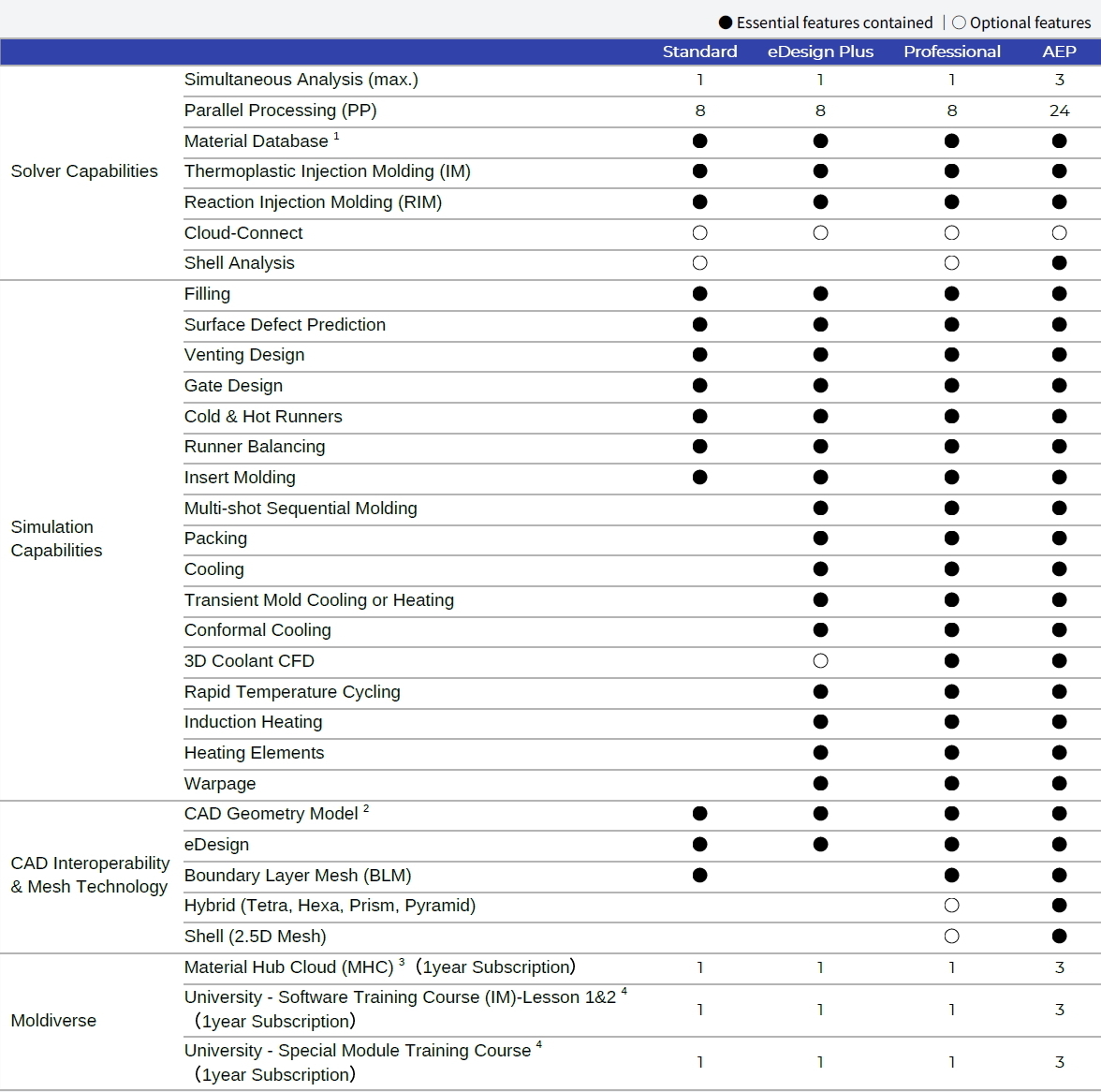
- Material Database: thermoplastics materials, thermoset materials, molding materials, coolant materials, and mold materials.
- Import geometry from CATIA V5, PTC® Creo®, Designcenter, SOLIDWORKS® and Rhino, as well as STEP, IGES, Parasolid and STL files.
- Material Hub Cloud (MHC) is a subscription-based service offering the most up-to-date material properties for users to find suitable materials and alternatives.
- The best on-line practical guide and demo videos by Moldex3D software experts. (Subscription-based service)
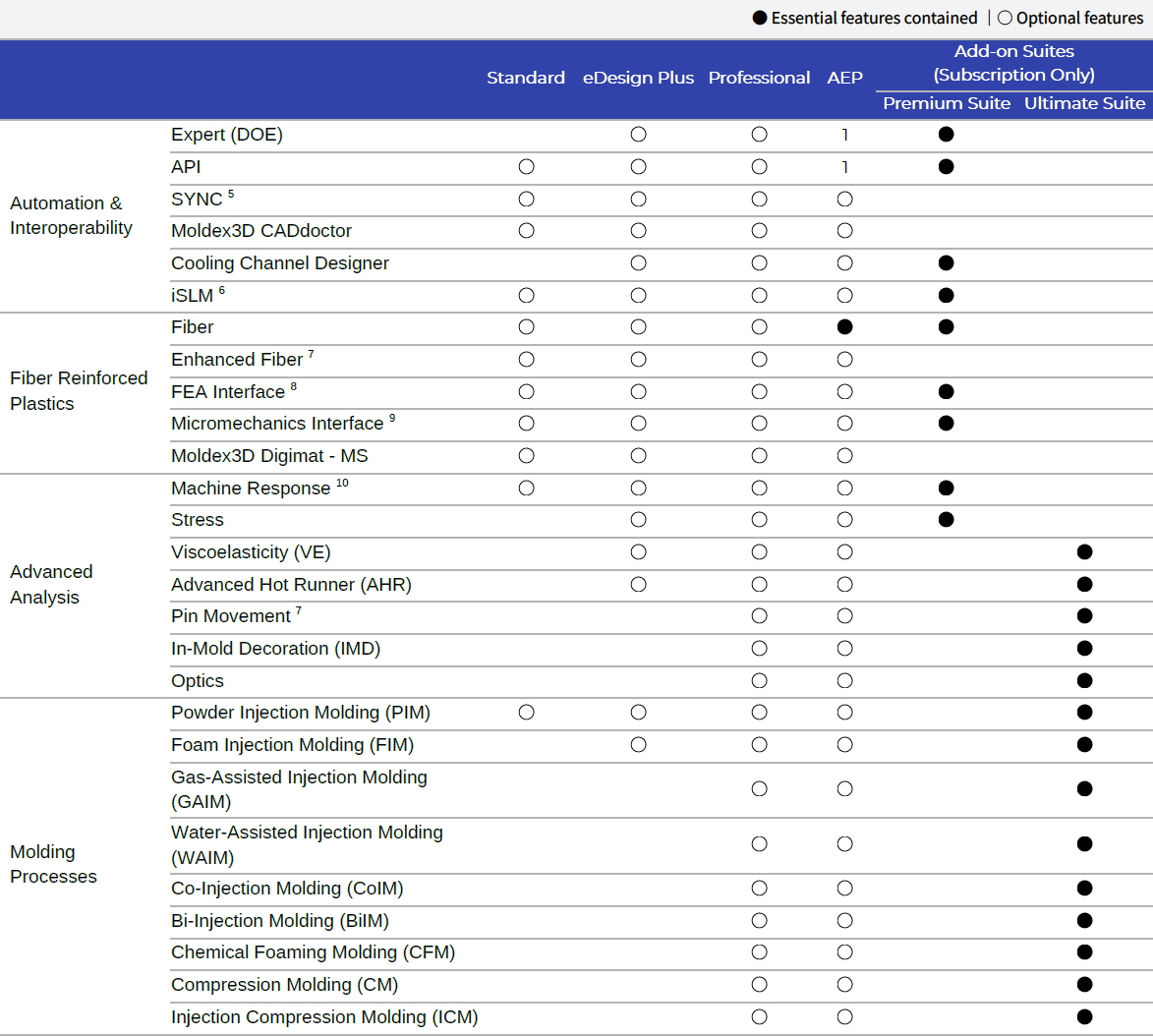
- Moldex3D SYNC supports PTC® Creo® and Designcenter.
- iSLM is an intelligent and interactive data management platform for plastic product development lifecycle.
- Prerequisite license is required.
- Moldex3D FEA Interface supports Abaqus, Ansys, MSC Nastran, NX Nastran, LS-DYNA, MSC Marc, and OptiStruct.
- Moldex3D Micromechanics Interface supports Ansys, Digimat, LS-DYNA and CONVERSE.
- Machine Response function requires the machine file received from the Machine Characterization Service.
System Requirements
A. Supported Platform
| Windows |
Windows 10, Windows 11, Windows Server 2019, Windows Server 2022, Windows Server 2025 |
| Linux |
Rocky Linux 8.10 and higher, Rocky Linux 9.6 and higher |
B. Hardware Recommendation
| Minimum | |
| CPU | CPU speed 2 Ghz |
| RAM | Main memory 16 GB |
| HDD | 30GB free disk space (at least 6 GB for installation) |
| Recommended | |
| CPU | AMD EPYC™ Milan / Milan-X series, Intel® XEON® Gold / Platinum / Bronze series |
| RAM | 16GB x 8 With ECC / 3200Mhz |
| HDD | 4 TB SSD (For Project Management) |
| Graphic Card | OpenGL 4.3 or higher, 512 MB or larger DRAM graphic cards |
| Screen Resolution | 1920 x 1080 |
- Linux platform is used for calculation resource only. Moldex3D Pre/Post-processor do not support Linux platform. For the RHEL supported version, please refer to information of Rocky Linux.
- To increase calculation efficiency and stability, it is recommended to switch off Hyper-Threading under RC/DMP structure. For the 12th Gen Intel® Core™ processors, only performance cores are used in default. For memory population rules, please refer to your CPU processor type for optimized performance. For more information, please refer to Installation and Licensing sections under Moldex3D Help .