What's New in Moldex3D 2026
Driven by Automation, Optimization and Intelligence, Moldex3D 2026 delivers faster, more accurate, and smarter molding simulations. Effectively tackling manufacturing challenges, reducing costs, and accelerating time to market. Ensuring every simulation closely reflects real-world production conditions. Break through every barrier from design to production.
What Are the Key Enhancements in Moldex3D 2026?
Digital Twin
Enhanced crystallization models and upgraded weldline algorithms help reflect real-world molding behavior.
Accessibility
A streamlined workflow—from modeling to result display—enables engineers a fast and efficient decision making.
A.O.I.
Seamlessly connect simulation, data management, and optimization through automation, DOE, and AI.
IC Packaging
New Hybrid technologies and refined encapsulation workflows significantly reduce computational effort.
Digital Twin
Moldex3D 2026 offers faster, more accurate molding simulations, reliably reflecting real-world production. The Hot Runner Branch Outlet achieves high accuracy for multi-cavity analysis while reducing computation time by up to tenfold, enhancing design evaluation. Crystallinity simulations now account for primary and secondary crystallization and pressure effects. Using Moldex3D Material Lab’s high-speed cooling data, they closely match real processing conditions. The upgraded weldline simulation improves consistency in length, location, and particle tracking for more realistic behavior.
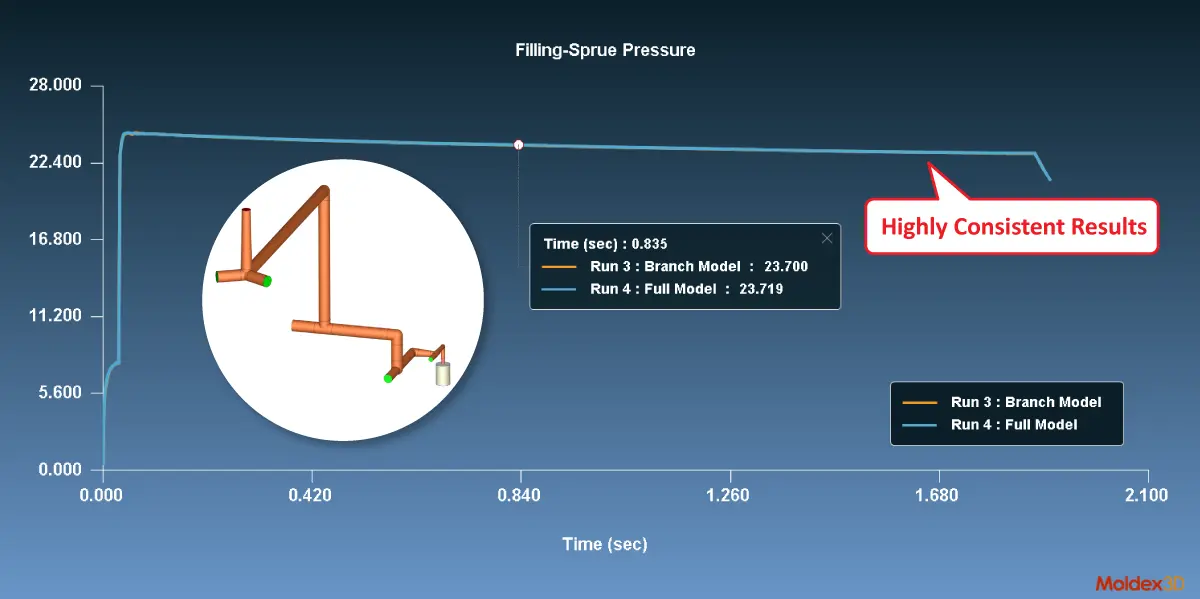
Next-Generation Hot Runner Branch Calculation, Optimize multi-cavity designs with 4× or greater speed
Multi-cavity and complex hot runner designs often force engineers to choose between accuracy and speed—full models are too slow, while simplified models risk losing accuracy.
Moldex3D 2026 eliminates this trade-off with the new Hot Runner Branch Outlet Calculation, allowing complex hot runner systems to be analyzed using line-defined models. This dramatically shortens computation time while maintaining results consistent with full models. As cavity count increases, acceleration can reach four to tens of times faster, enabling rapid evaluation of flow balance and pressure distribution and allowing engineers to assess molding quality before the molding trial begins.
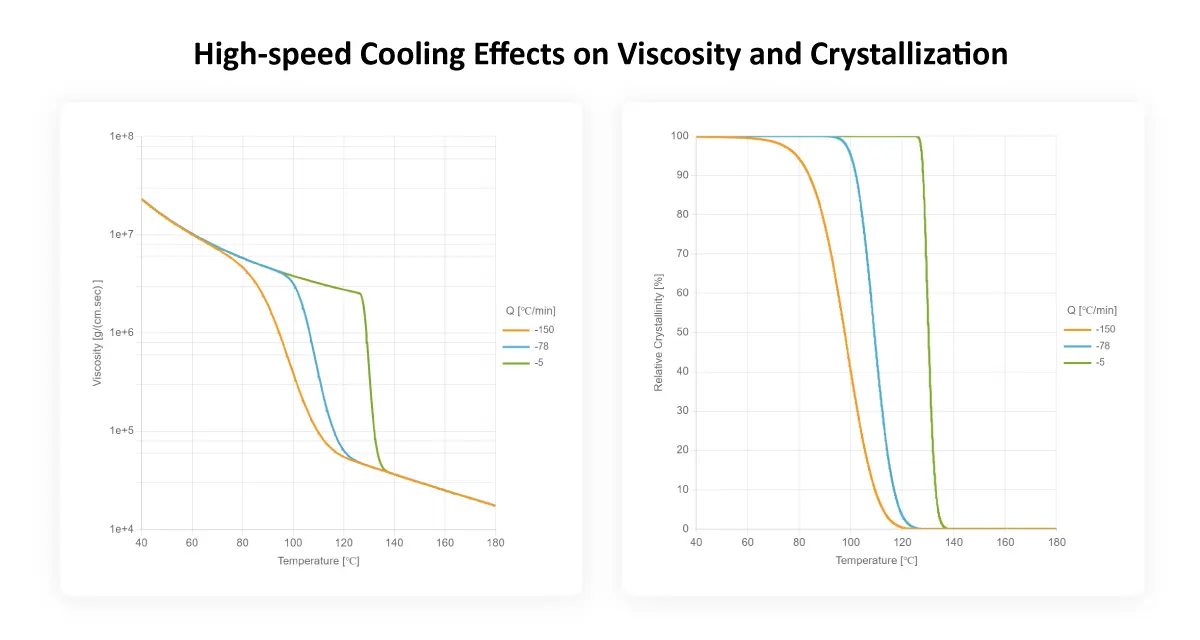
Fully Upgraded Crystalline Material Simulation, accurate prediction even under high-speed cooling
Shrinkage, warpage, and dimensional variation in crystalline materials such as PP and PA often stem from complex crystallization behavior under high cooling rates—conditions that are difficult for traditional models to capture.
With the Dual Nakamura Model, Moldex3D simultaneously accounts for primary and secondary crystallization as well as pressure effects. In Moldex3D 2026, this capability is further strengthened by integrating exclusive high-speed cooling measurement data from the Moldex3D Material Lab, bringing simulations closer to real processing behavior. Engineers can more accurately predict crystallinity, rheology, and dimensional changes, reducing trial iterations and improving product consistency.
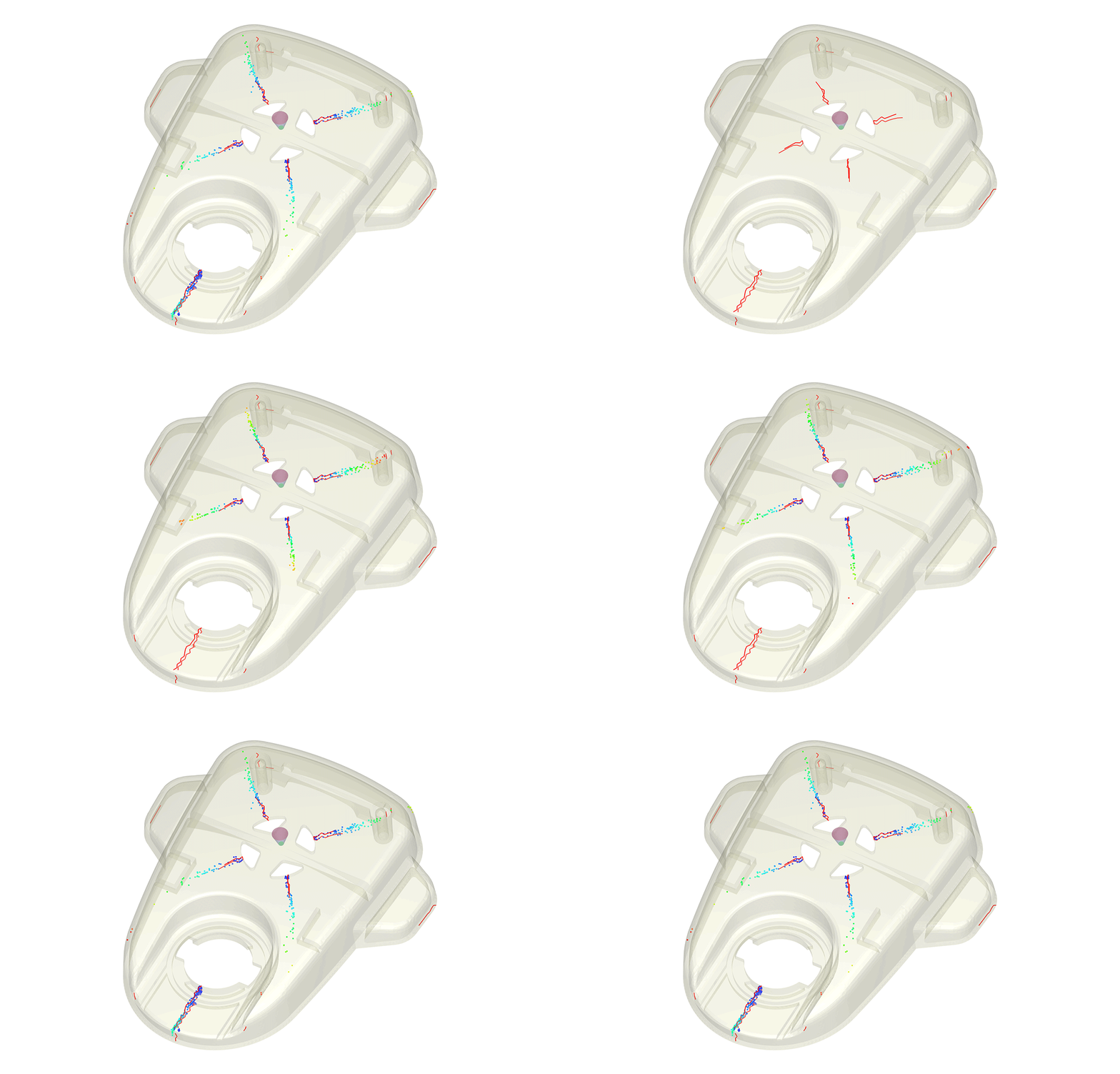
More Reliable Weldline Prediction, greater confidence in appearance and strength
Weldlines are a major source of risk for both appearance and structural performance. Moldex3D 2026 significantly improves the consistency between weld line length, position, and particle tracking, providing a more realistic representation of weld line formation. With more accurate predictions, engineers can address potential defects early in the design stage, improving the efficiency of downstream CAE structural analysis, and reducing mass-production risks.
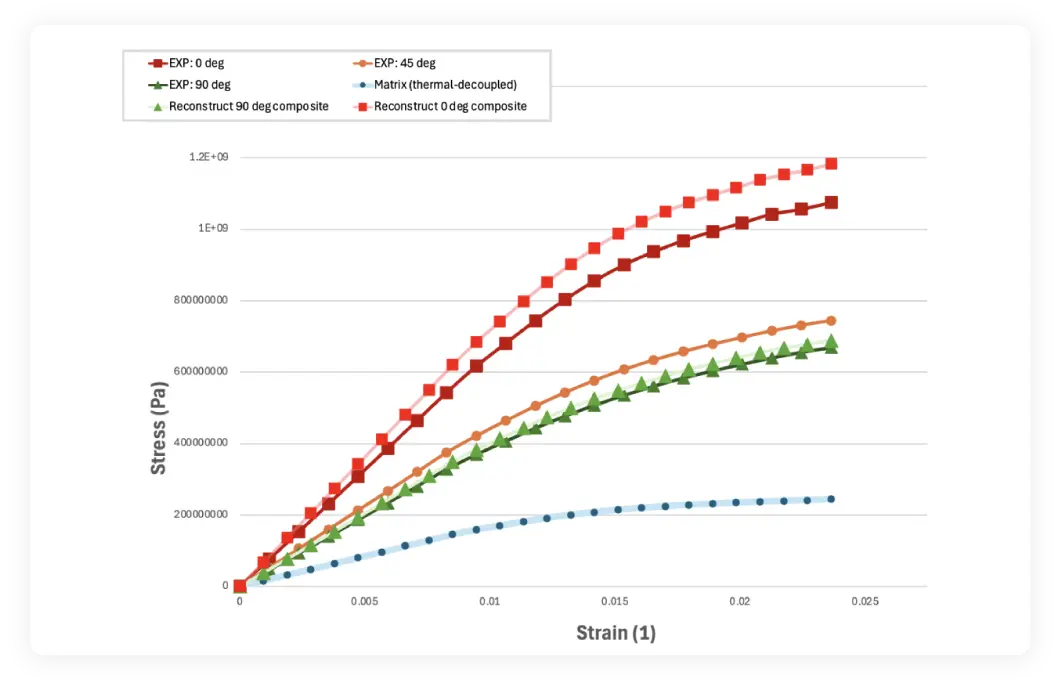
Optimized Nonlinear Fiber Material Models, smarter lightweight design decisions
Fiber-reinforced materials often exhibit pronounced nonlinear mechanical behavior under high loads or complex stress conditions.
Moldex3D 2026 introduces enhanced nonlinear fiber material models, enabling engineers to capture more realistic mechanical responses when needed. Fiber orientation and material properties can be directly exported to LS-DYNA and Atlas, supporting a seamless workflow from concept design to high-fidelity structural validation. This allows engineers to confidently evaluate the optimal balance between lightweight design and structural strength.
Accessibility
Moldex3D 2026 delivers a more intuitive and efficient simulation experience. New Wizards accelerate modeling and setup with precise angle- or distance-based inputs, automatic gate and parting direction detection, and real-time previews of cooling channel connections, interference, and contours. Enhanced CAD and mesh tools—including sphere and polyhedron modeling, auto-alignment, repair, and high-quality Solid Mesh generation—significantly speed up preprocessing. Studio also improves visualization, result interaction, shortcuts, and seamless access to the Moldiverse ecosystem.
Smarter Preprocessing for Faster, Better Design Decisions
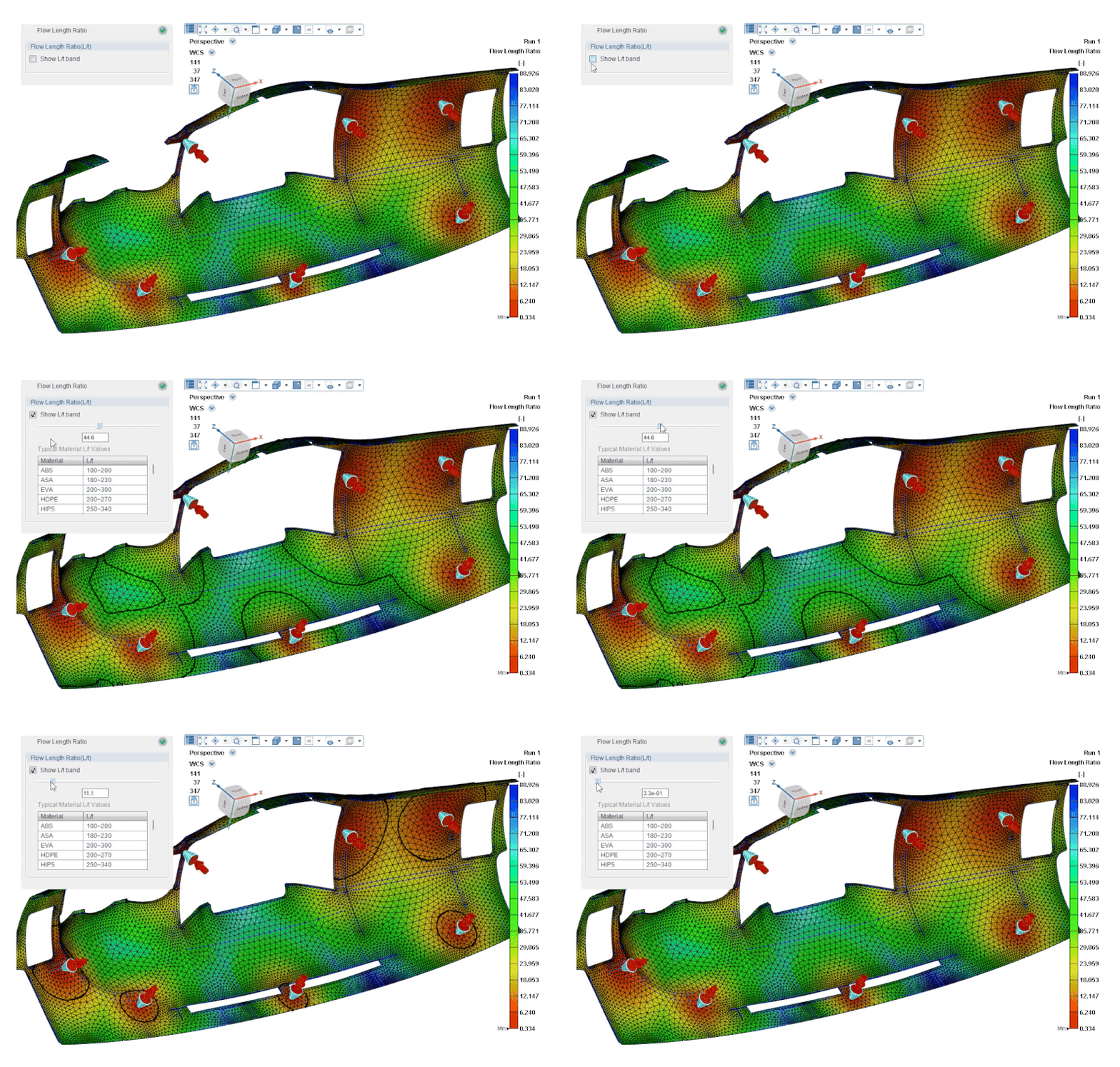
The upgraded Gate Location Advisor works with automatic parting direction detection to recommend optimal gate positions early, reducing trial-and-error and improving design accuracy.
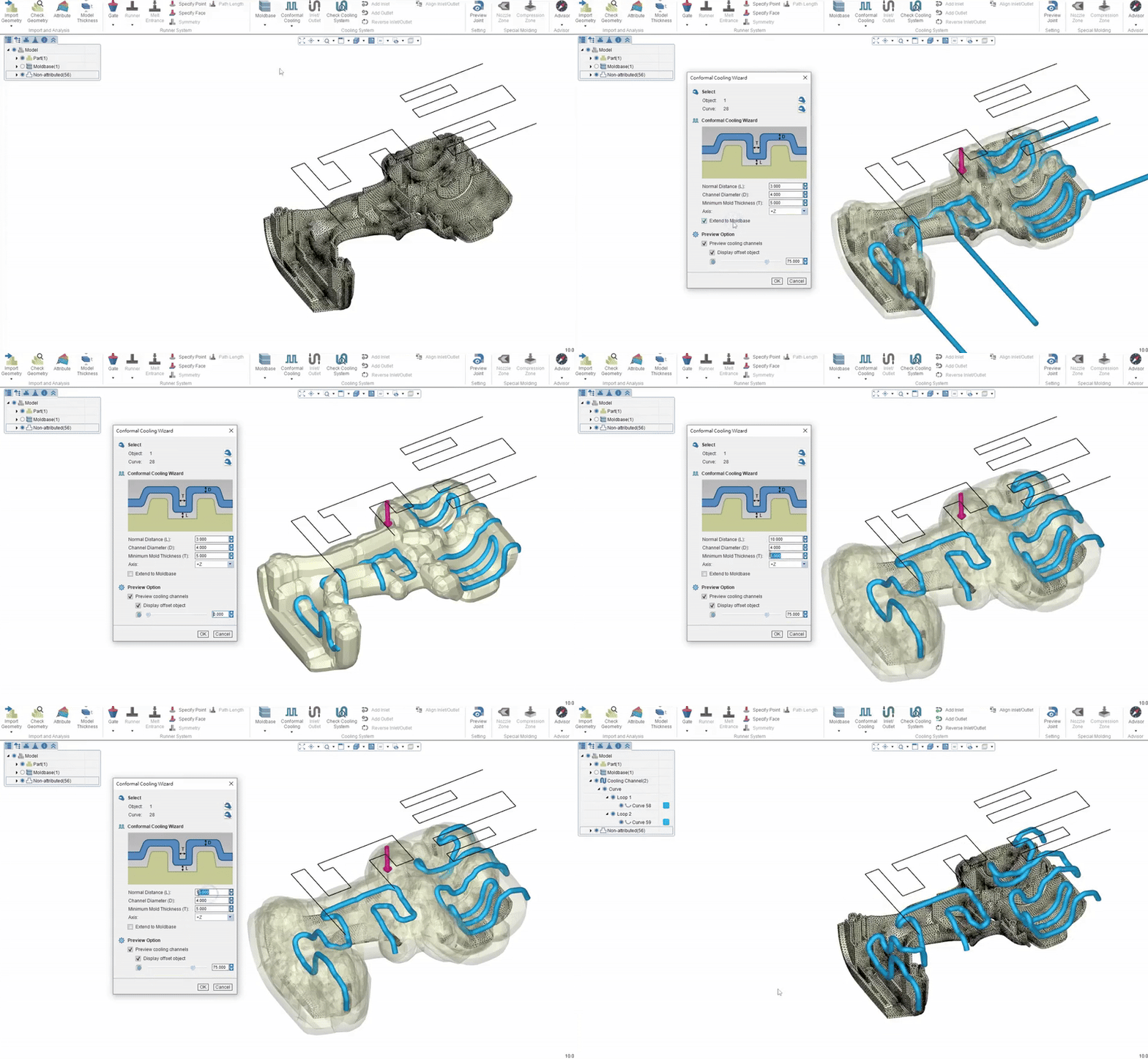
Cooling channel modeling is also enhanced with connection and interference previews, plus contour-based design to balance cooling efficiency and manufacturability.
More Powerful Multi Component Model and Mesh Repair
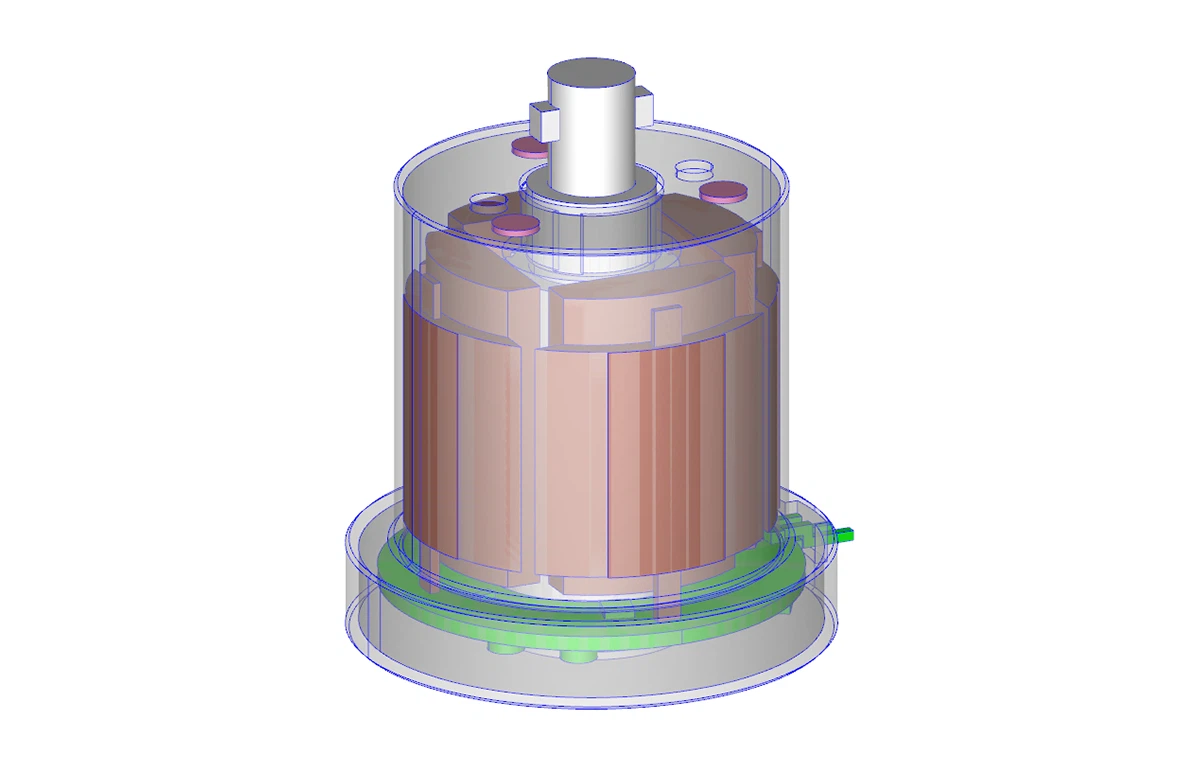
Moldex3D 2026 strengthens geometry editing and mesh preprocessing for large, complex, multi component models. New sphere modeling, polyhedron splitting, and enhanced Split, Join, and Extract Edge tools improve flexibility.
The new Solid Mesh workflow, with advanced repair, auto boundary alignment, and property inheritance, dramatically shortens the path from modeling to analysis.
Enhanced Advance Molding Simulations
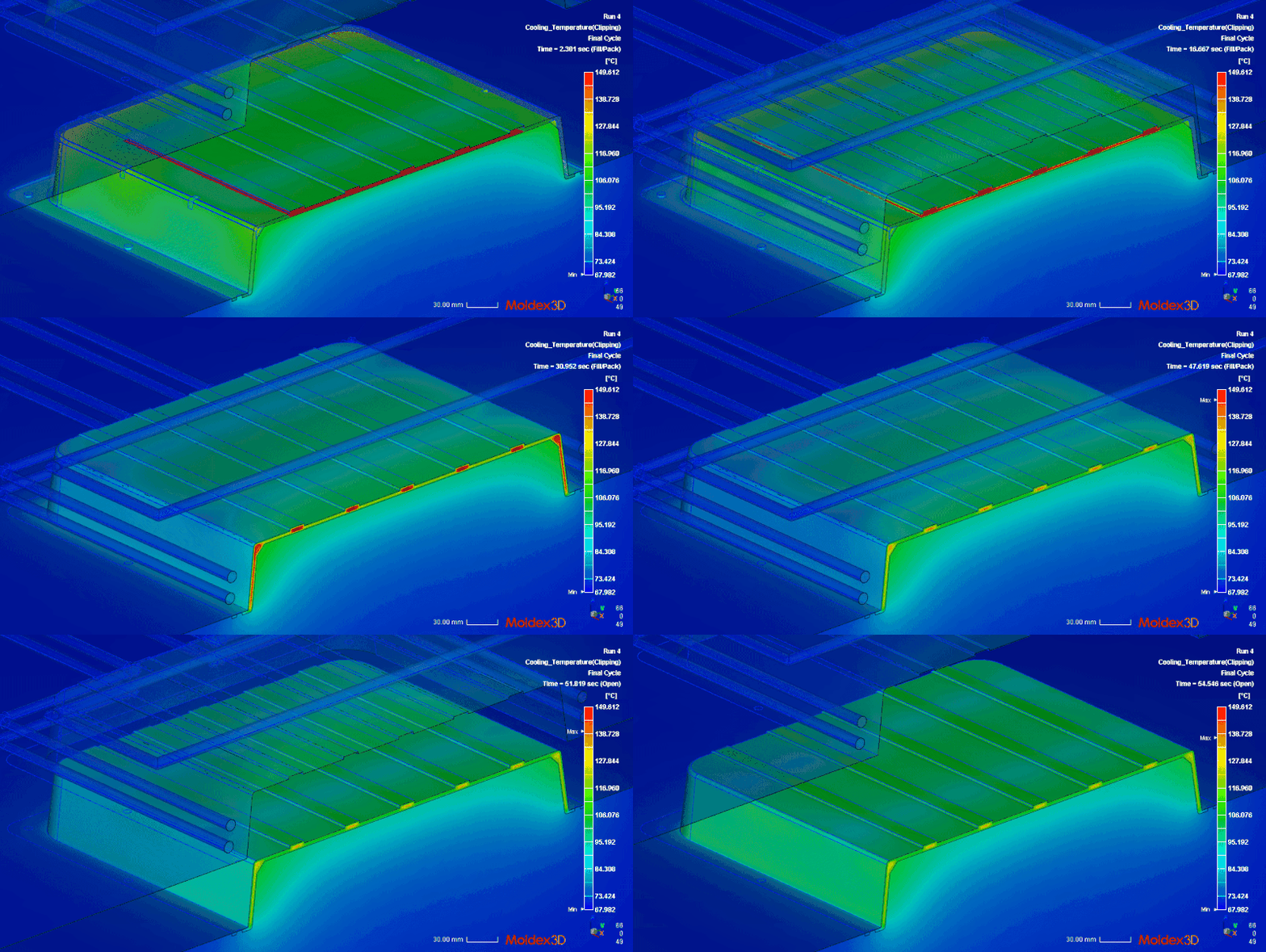
Injection compression molding now considers mold movement during cooling for more realistic temperature and deformation predictions.
RTM simulations support INP files with mesh and ply data to fully capture composite structures.
Foaming simulations feature a more intuitive rotation setup, improving accuracy and efficiency.
Material Wizard also adds powder material workflows, enabling fast creation, comparison, and simulation of powder-based processes.
Studio Experience, Fully Refined
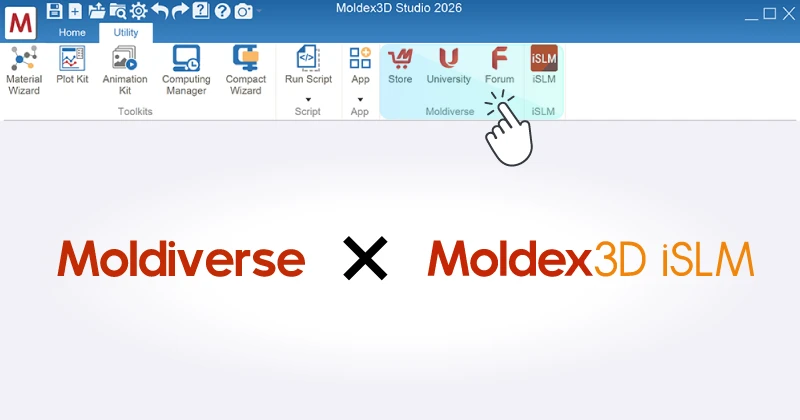
One-click access to the Moldiverse and iSLM ecosystem
Studio now features quick access to Moldiverse and iSLM services, including Store, University, and Forum. Users can instantly explore automation apps, training courses, and technical discussions, creating a seamless workflow that connects simulation, learning, and problem solving.
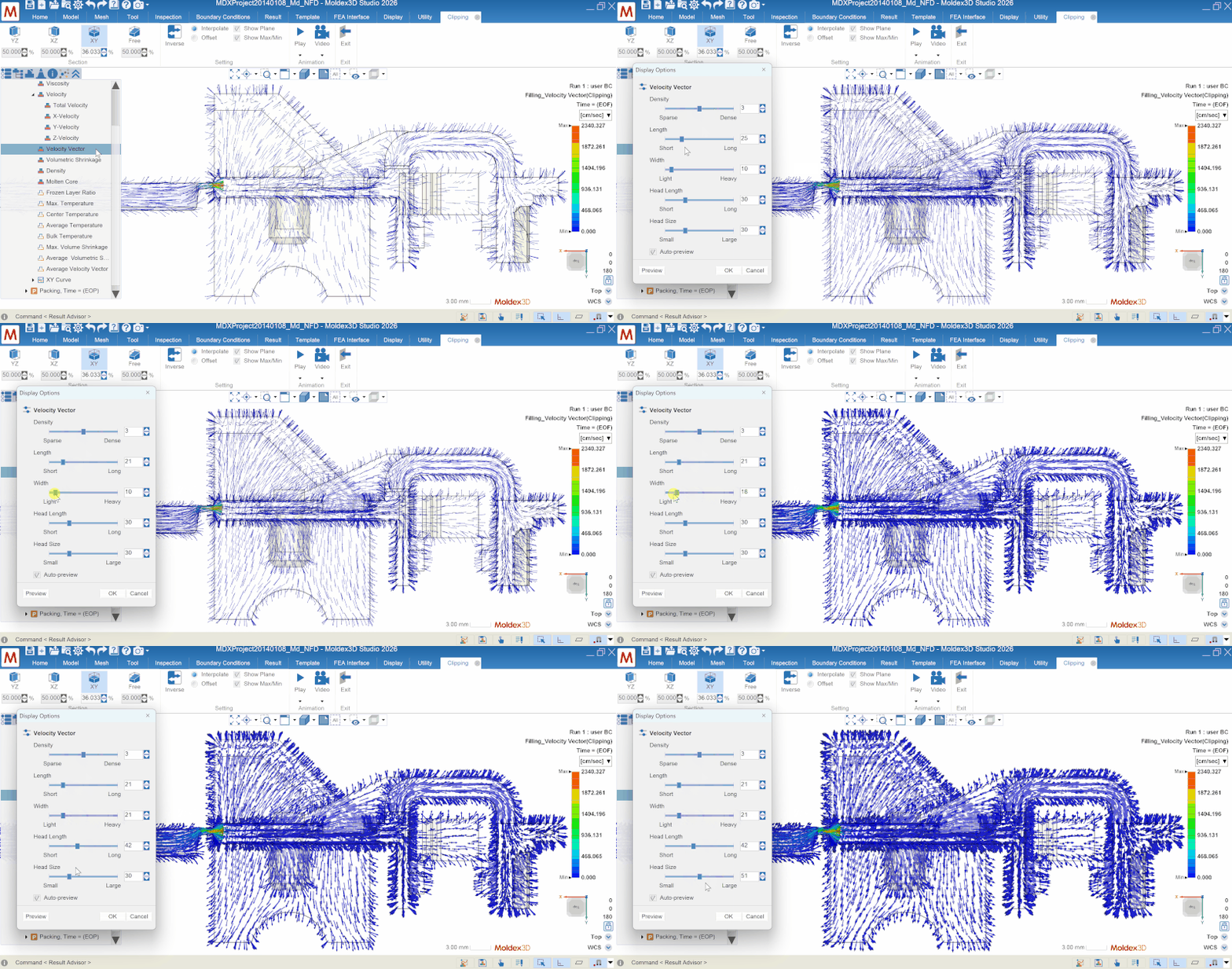
More powerful visualization with advanced vector control and multi-point probes
Studio introduces a new vector control panel and a more intuitive multi-point probe setup. Engineers can monitor flow, temperature, and pressure at multiple critical locations simultaneously, making results easier to understand and design issues faster to identify.
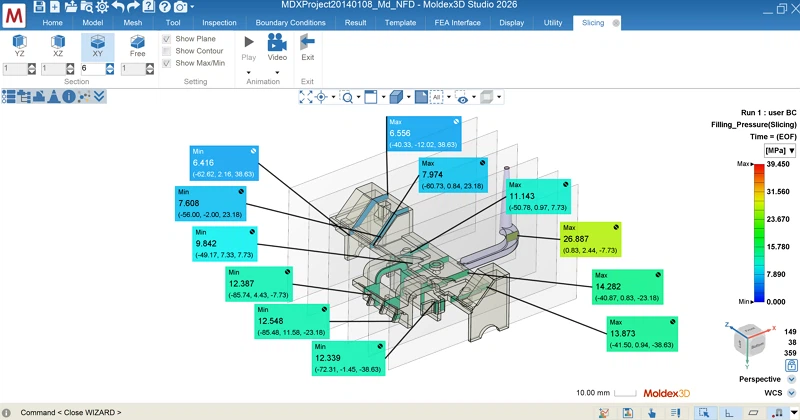
Freely movable Max/Min markers with direction locking
To improve result interpretation, Studio 2026 allows Max/Min markers to be freely moved, and their display direction locked. This prevents confusion when changing views and combined with new shortcuts, delivers a smoother and more user-friendly analysis experience.
iMolding Advisor - From simulation to Real-time Mold Tryout
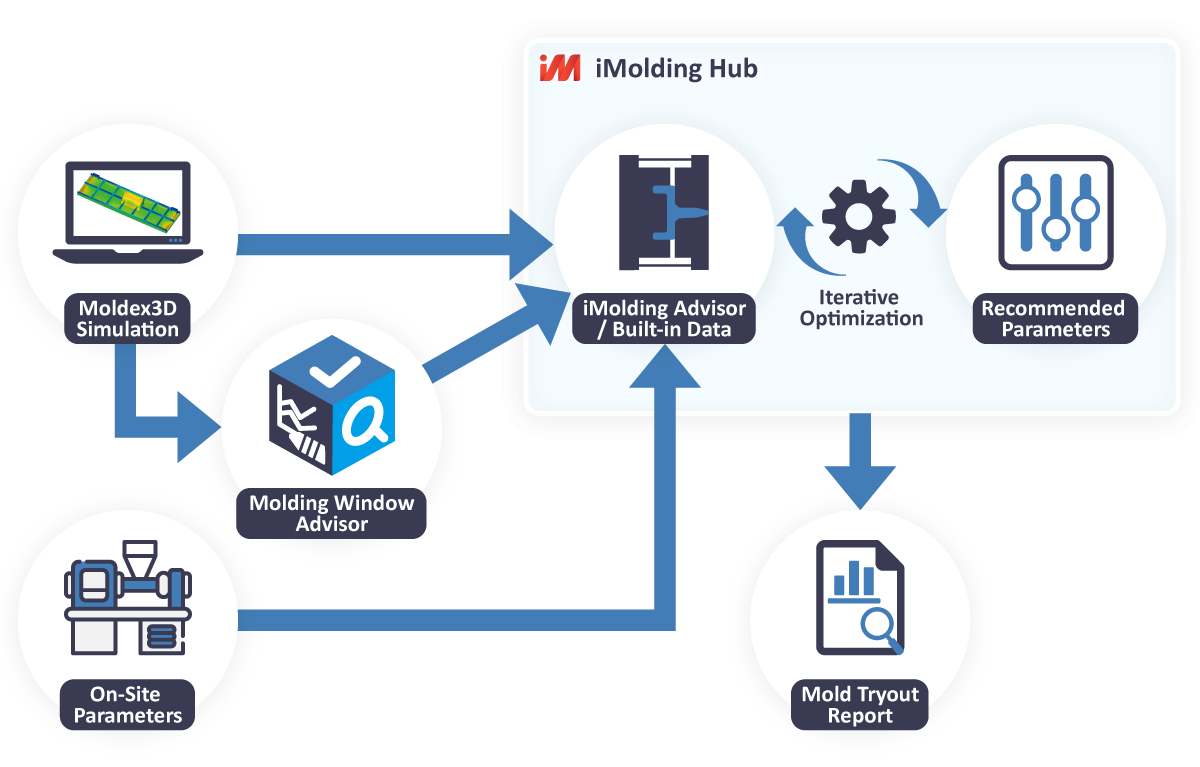
iMolding Advisor replaces experience-based mold tryouts with data-driven guidance. Starting from Molding Window Advisor, users can directly transfer optimal parameters into iMolding Advisor to obtain machine-matched settings. It also enables simulations using a built-in database of over 9,000 materials and tens of thousands of machine datasets, allowing early defect prediction and corrective guidance—making trial molding more controllable and efficient.
All adjustments are automatically recorded, building enterprise-specific process know-how for more stable and intelligent mass production.
A.O.I.
Moldex3D 2026 redefines Automation, Optimization, and Intelligence in simulation and data management. Run Summary now enables direct review and Excel/CSV export, while the Studio API expands support for cooling channel creation, error handling, and project management—connecting the entire workflow from setup to reporting. DOE Wizard adds design constraints, enabling DOE and AI to identify optimal designs more effectively. AI-driven fiber calibration, iSLM Auto Launch with database integration, and the Moldiverse App Center further streamline large-scale project automation and intelligent analysis.
DOE with Design Constraints for Smarter Optimization
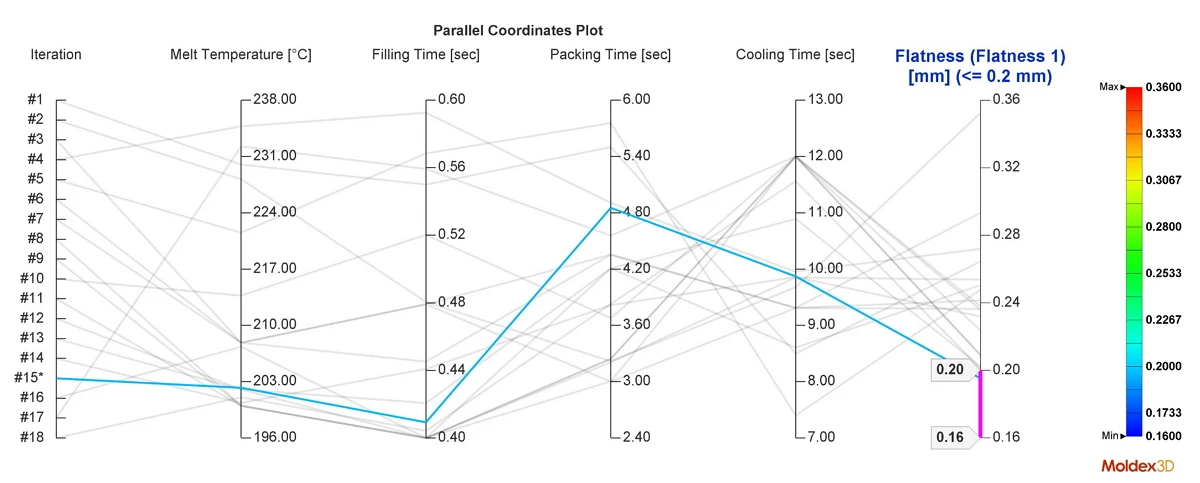
The upgraded DOE Wizard in Moldex3D 2026 supports design constraints, allowing engineers to consider quality targets and design limits simultaneously. Optimization results are more practical and aligned with real molding conditions.
Four new operators are provided to define constraints, with each iteration clearly displayed in the optimization overview—making the entire optimization process transparent and traceable.
Automated Simulation Workflow for Integrated Development
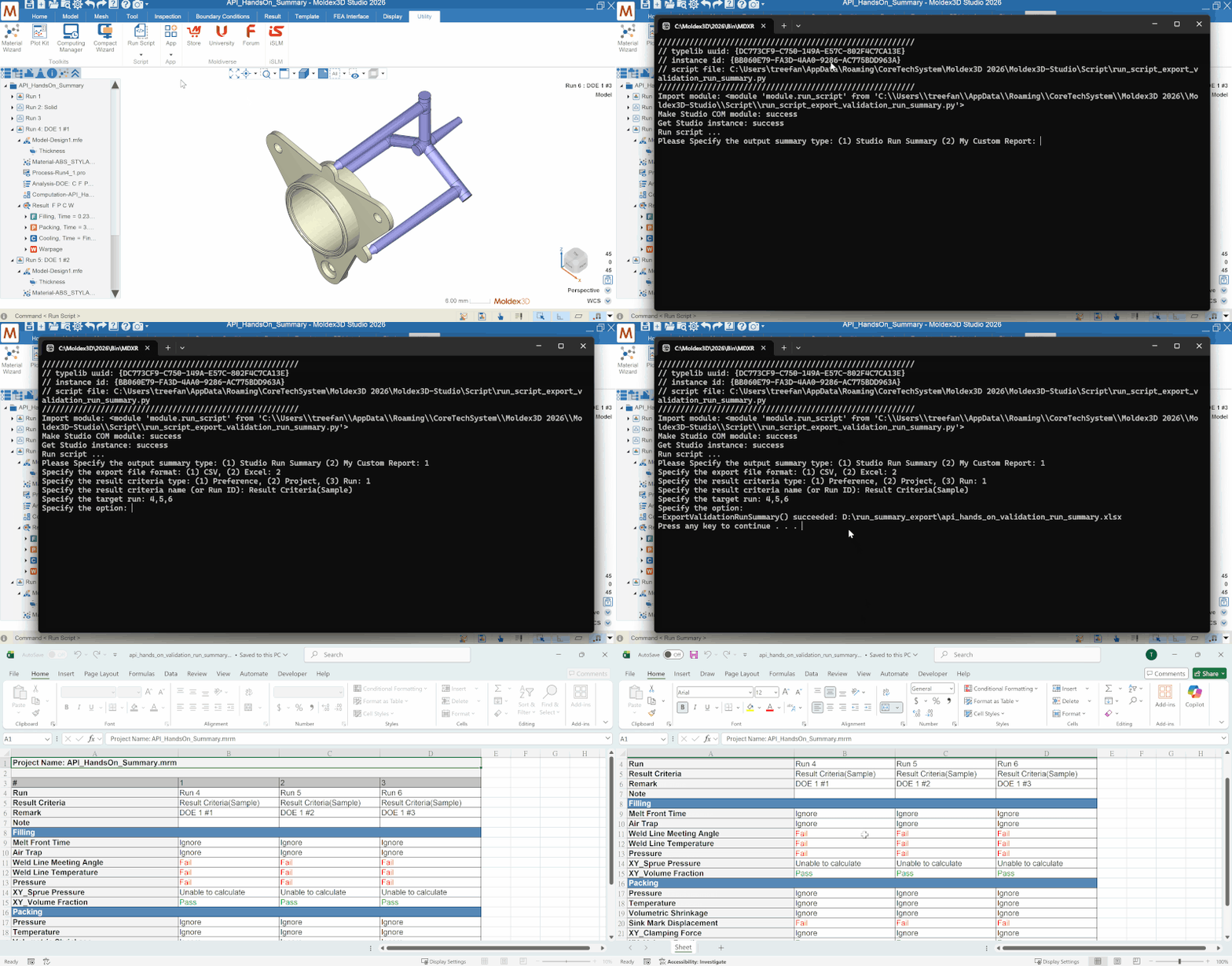
The 2026 Moldex3D Studio API delivers expanded automation and system integration. It supports cooling channel creation, error feedback, condition import/export, and project/result management, enabling programmatic modeling, analysis, and post-processing aligned with enterprise platforms.
Five complete automation examples are included, covering project creation, analysis setup, and report generation, allowing teams to quickly adopt batch processing and automated workflows.
iSLM 2026: Intelligent Transformation for Efficient Design
Auto Launch × Database Management: Full Automation from Setup to Control
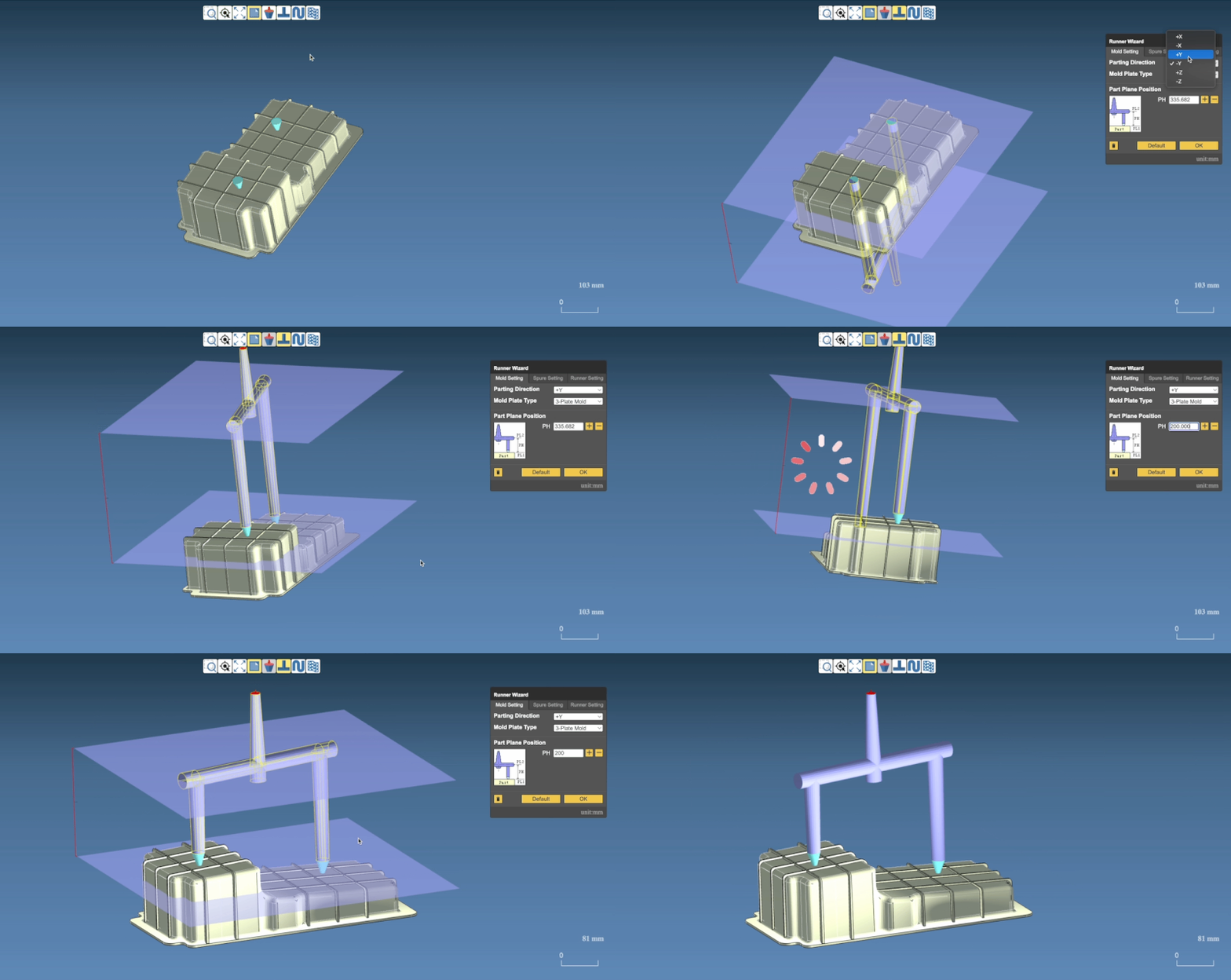
The all-new Auto Launch integrates Wizard technology to automate pre-processing settings for runners and cooling channels. By extending support for Ct analysis, it enables engineers to rapidly complete simulation setups and initiate the analysis workflow, enhanceing pre-processing efficiency and ensures setup consistency, while also supporting use in Personal Mode.
Discovery Intelligence: Faster Insights, Better Decisions
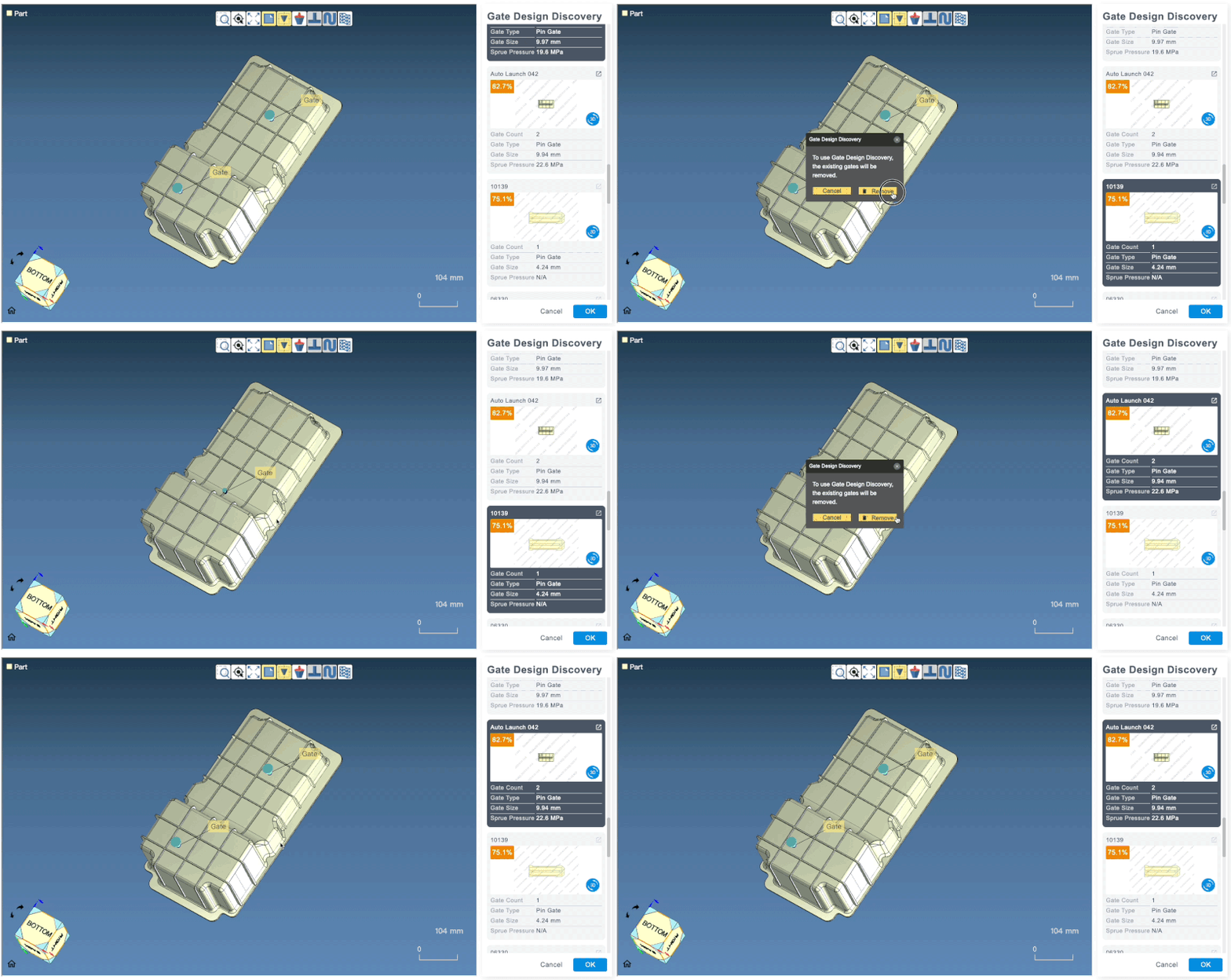
The AI-powered Discovery suite is fully upgraded. Insight Discovery enhances defect risk analysis and optimization recommendations, while Gate Discovery adds Edge Gate support for greater gating flexibility, improving design agility and analysis quality across Personal and Server modes.

AI Chat: Natural Language Assistance for Engineers
iSLM 2026 introduces AI Chat, enabling engineers to query data, receive conclusions, and obtain molding recommendations through natural language interaction. Each interaction feeds back into the database, continuously improving response quality and building long-term knowledge assets.
Start Simulation Automation with the App Center
The new Moldex3D App Center aggregates ready-to-use tools for simulation assistance and workflow automation. Engineers can quickly complete model setup and report generation without system installation or platform switching.
With a single login, users can access multiple free apps. The App Center will continue to expand, creating a cross-module, intelligent simulation ecosystem for faster and smarter analysis.

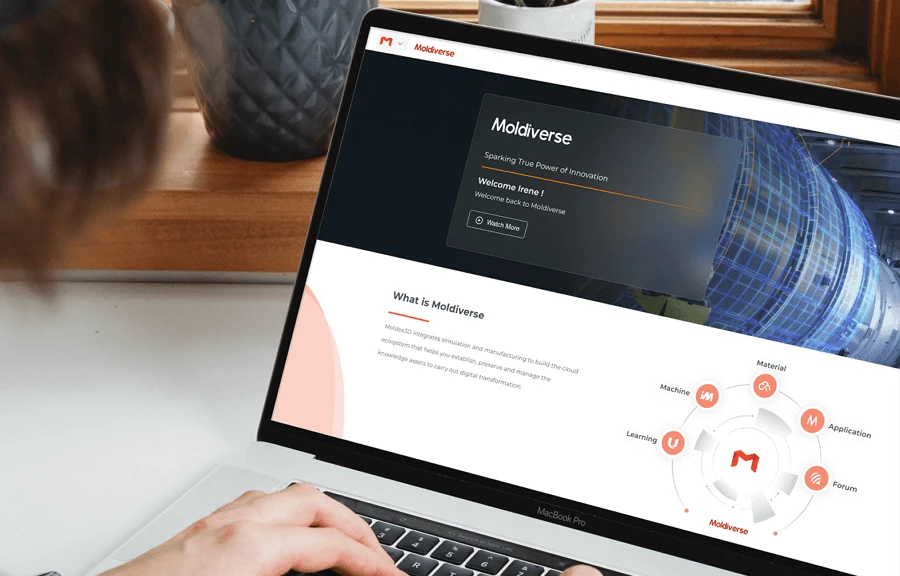
Moldiverse: Boosting R&D Efficiency from Materials to Knowledge Sharing
Moldiverse delivers a fully integrated and intelligent knowledge ecosystem—covering material data, education, and collaboration—to support engineering development.
Material Hub Cloud introduces a new Material Notebook with AI assistance and application insights. Enhanced digital material fitting tools make material setup faster and more intuitive.
Moldiverse University adds new Analyst and Expert courses with clearer advanced learning paths, alongside an upgraded document center for faster access to technical resources.
AI Collaboration & Intelligent Answers: Moldibot 2026
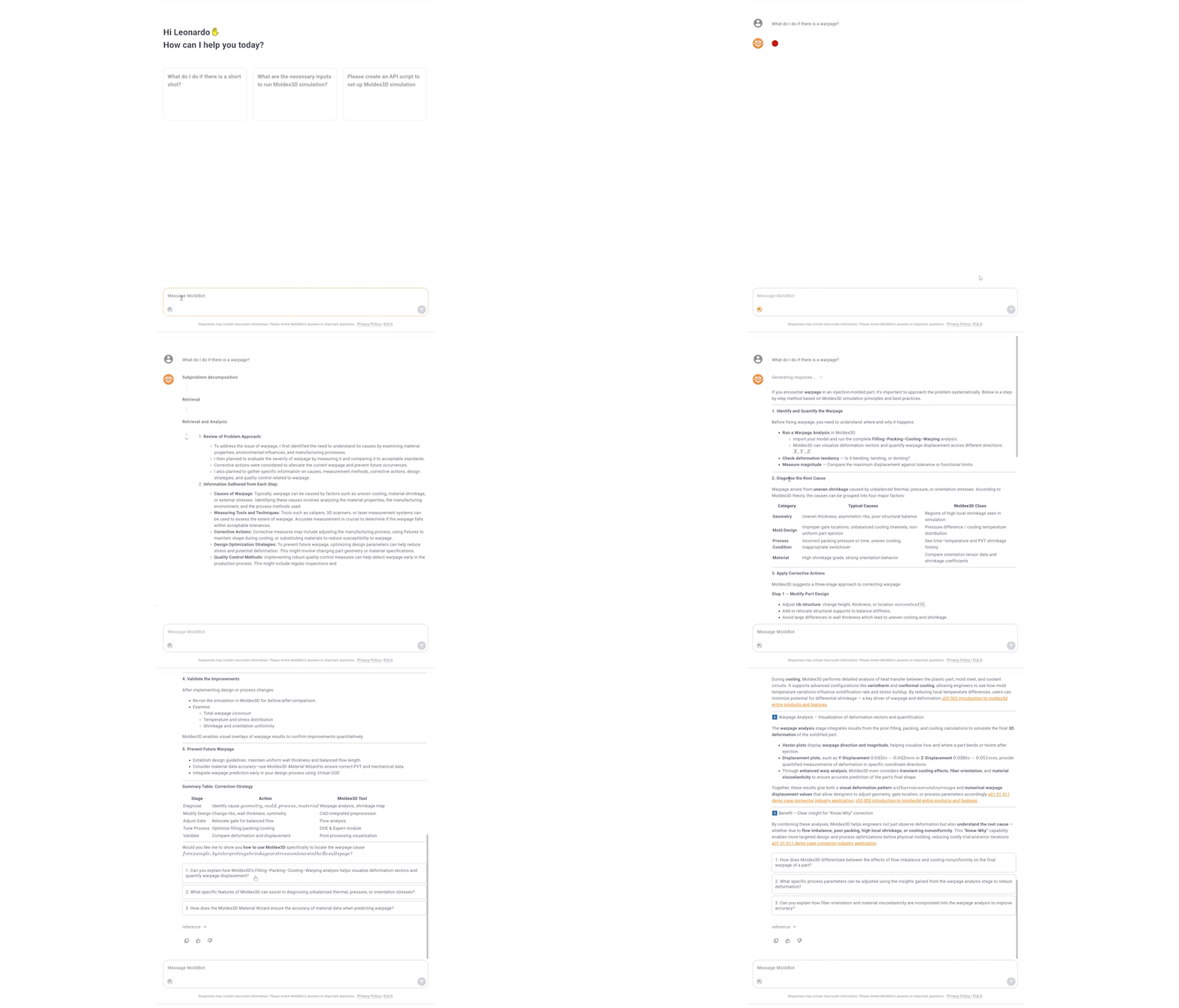
Moldibot 2026 integrates background databases with Moldiverse University and Forum knowledge to deliver accurate, source-verified responses. The new “Deep Thinking” feature improves reasoning for complex engineering challenges, while follow-up suggestions transform Moldibot into a trusted intelligent advisor.
Upgraded Run Summary: Clear, Efficient, and Traceable Results
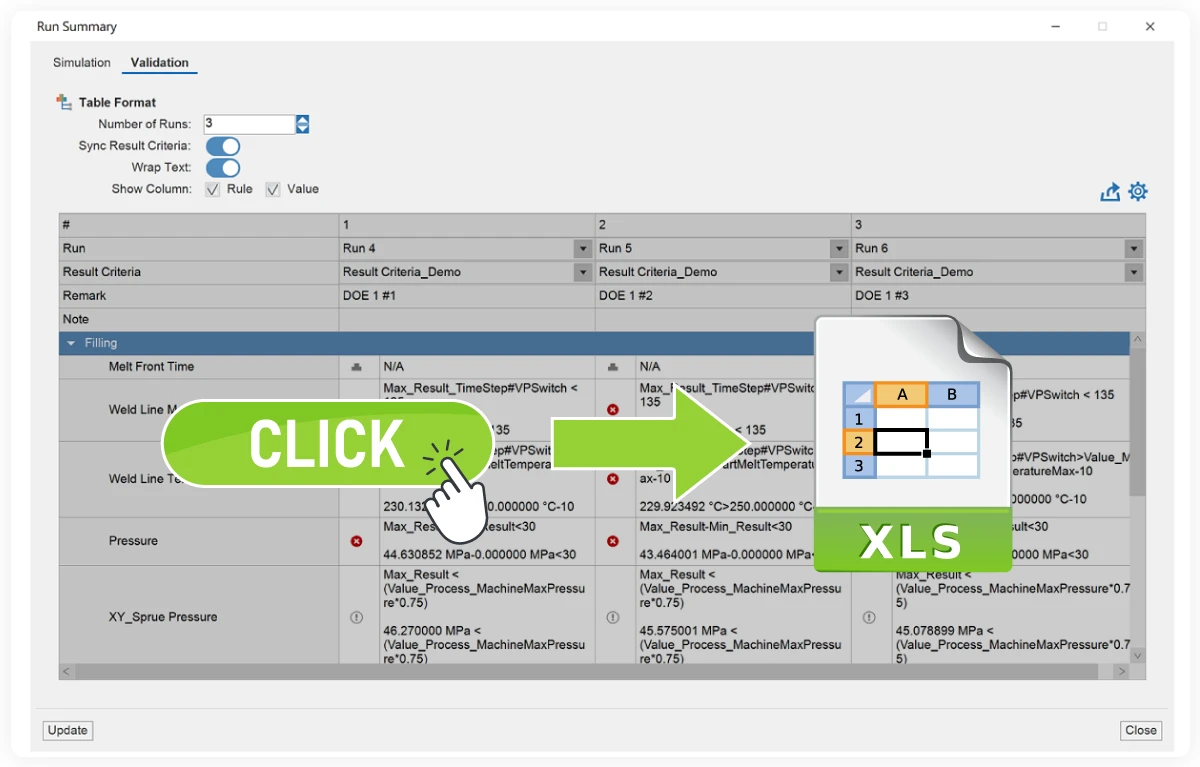
Moldex3D 2026 enhances result review and reporting with an upgraded Run Summary, supporting direct validation and one-click Excel/CSV export. Engineers can easily consolidate multiple simulations and track key quality metrics. Injection pressure, melt front progression, cooling performance, and many others are presented in structured reports, ensuring transparency and traceability. Teams can validate results and make decisions faster, with confidence grounded in reliable data.
IC Packaging
Moldex3D 2026 delivers major upgrades for CUF and IC packaging simulation, enabling faster, more stable, and more accurate analysis of complex packages. New Hybrid Zone BC and EBG Zone BC technologies significantly reduce computational cost while maintaining high accuracy—even with single-layer meshes—addressing challenges such as excessive mesh sizes and long computation times. Enhanced encapsulation workflows, combined with the new IC Auto Hybrid Mesh and improved interfaces, make complex package modeling more intuitive and efficient.
High-Speed, High-Accuracy CUF Analysis with Hybrid Zone Technology
As advanced packaging designs continue to increase bump counts, traditional CUF simulations often face excessive mesh sizes and long run times.
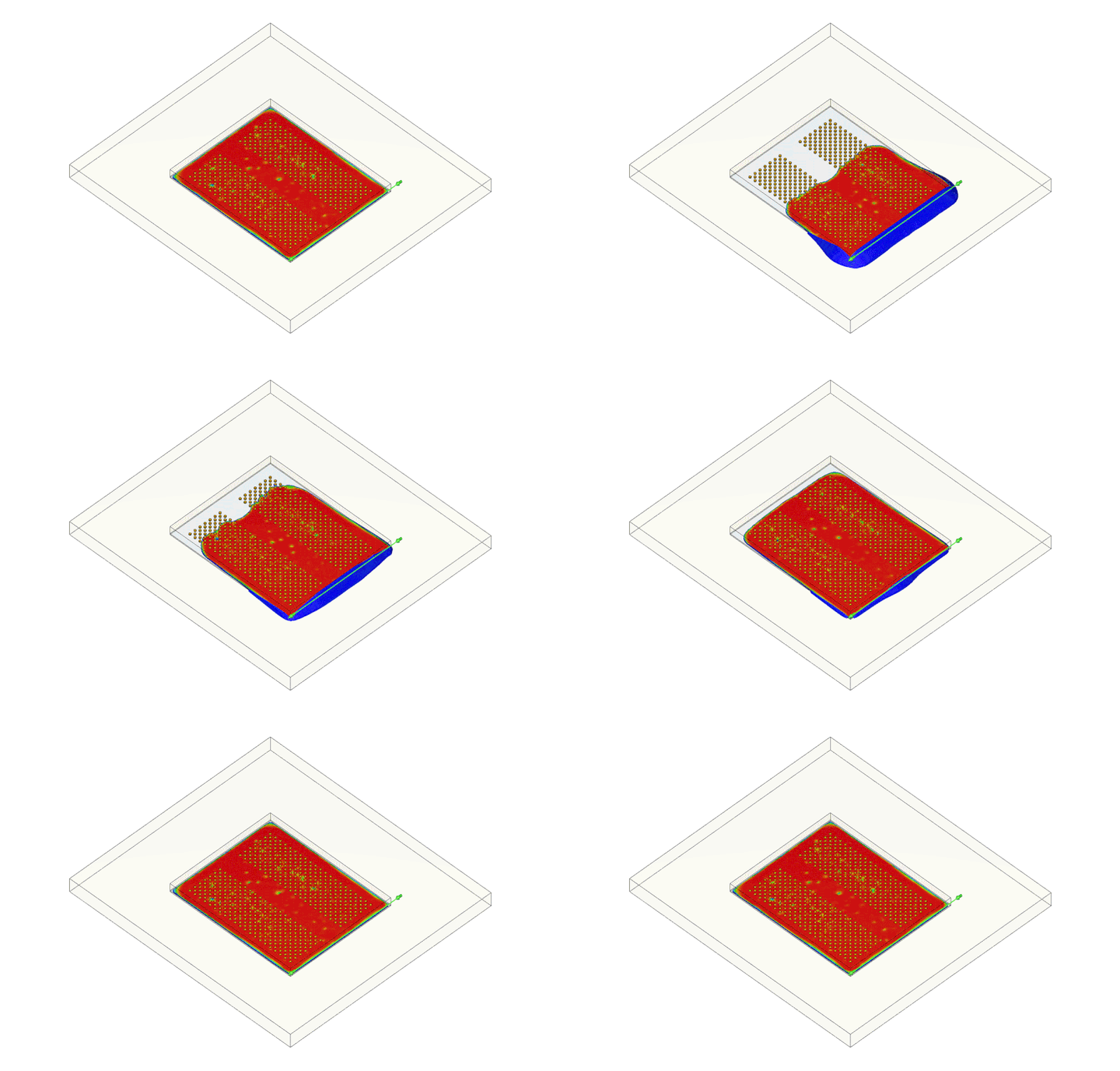
Moldex3D 2026 introduces Hybrid Zone equivalent modeling, reducing simulation time by approximately one-third while preserving key physical behavior and accurately capturing flow front evolution—enabling fast and reliable design iteration.
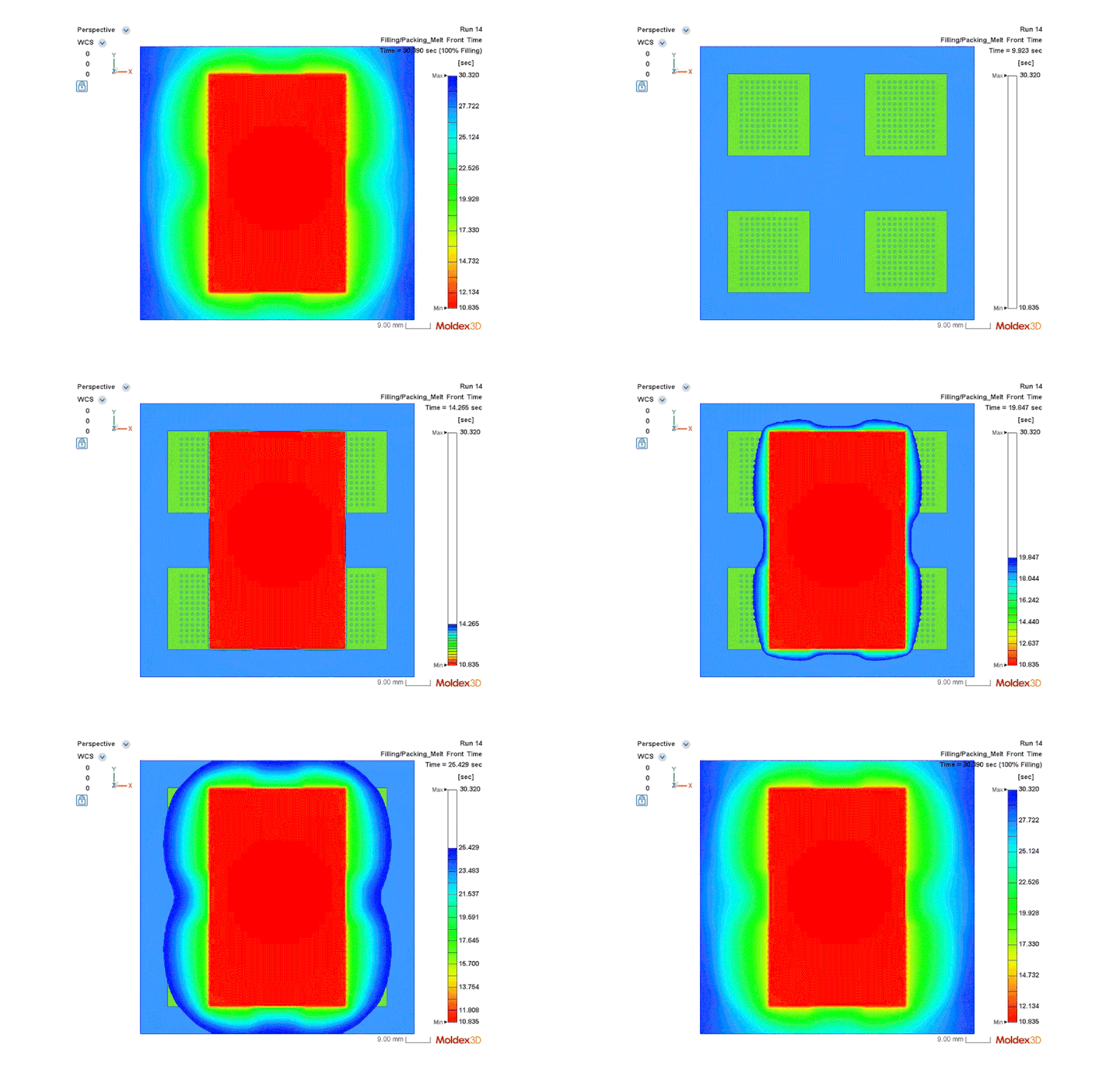
EBG Technology: Efficient CUF Simulation with Minimal Meshes
For IC packaging projects requiring maximum efficiency, Moldex3D 2026 introduces the Equivalent Bump Group (EBG) Zone boundary condition technology. With only a single-layer of mesh, the analysis retains essential physics and delivers high-accuracy CUF results, reducing simulation time to nearly 1/15 of a full 3D model—ideal for early-stage design screening, parametric studies, and process window exploration.
Upgraded Encapsulation Simulation for Higher Accuracy and Stability
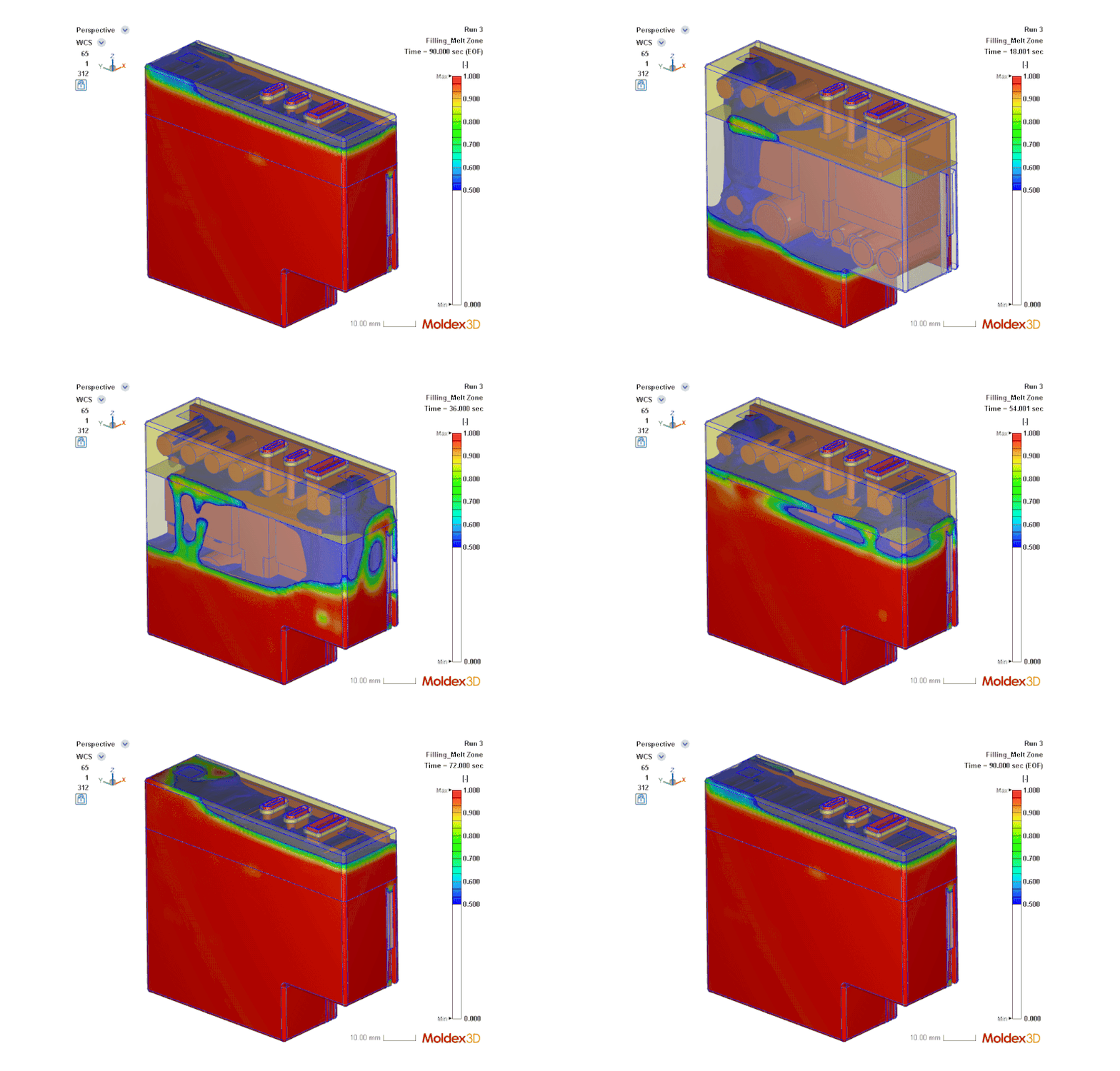
Encapsulation simulation often suffers from complex geometry, difficult meshing, and heavy computational loads. Moldex3D 2026 introduces automated meshing for encapsulation, enabling one-click generation of high-quality meshes and reducing computation time to nearly one-tenth of previous workflows, achieving truly efficient modeling and analysis.
Enhanced dispensing location and path definitions further improve flow consistency and stability, delivering simulation results that more closely reflect real manufacturing conditions.
Smarter IC Hybrid Mesh Generation, Improved Design Experience
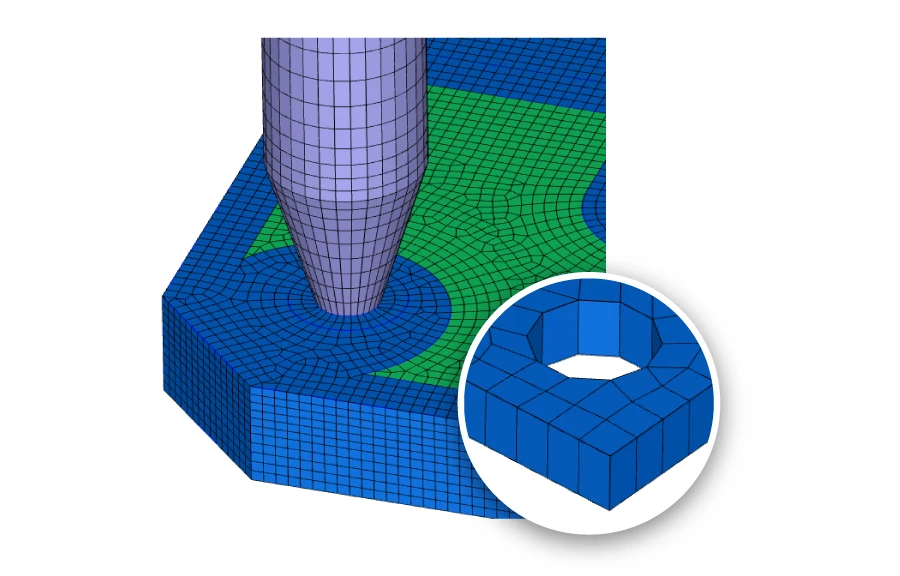
The new IC Auto Hybrid Mesh enhances IC packaging meshing workflows, supporting Auto Hybrid meshes and Gate Rebuild connections to runner meshes. It simplifies circular bump meshing, improves mesh quality and resolution, and delivers fast, stable, and reliable models—creating a more efficient and user-friendly IC packaging design experience.