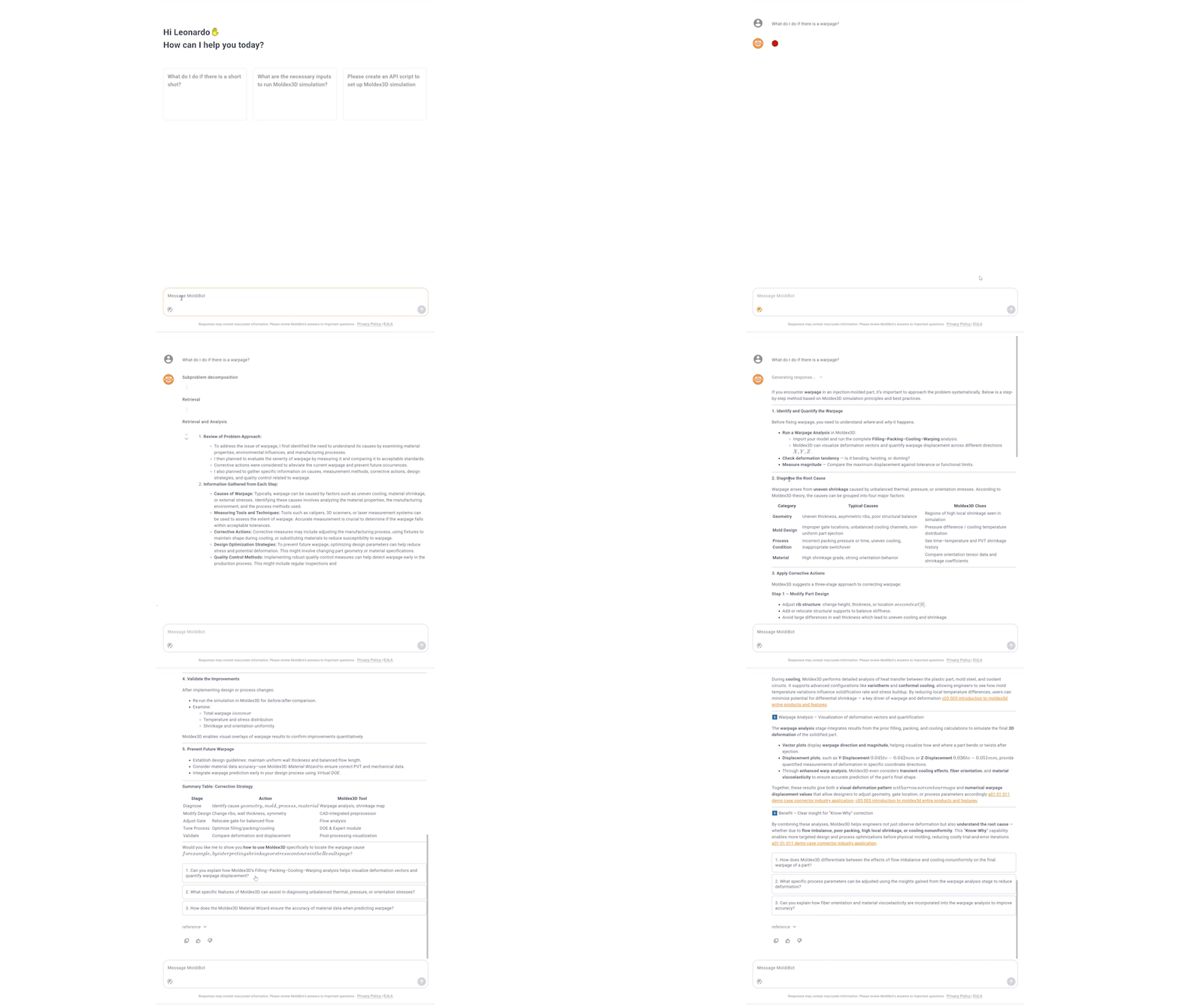
Moldex3D 2026 · A.O.I.
Automation, Optimization & Intelligence for Smarter Simulation Workflows
Moldex3D 2026 connects ready-to-use automation apps, intelligent lifecycle management, programmable workflows, faster DOE execution, and enhanced AI assistance into a practical A.O.I. ecosystem for simulation teams.
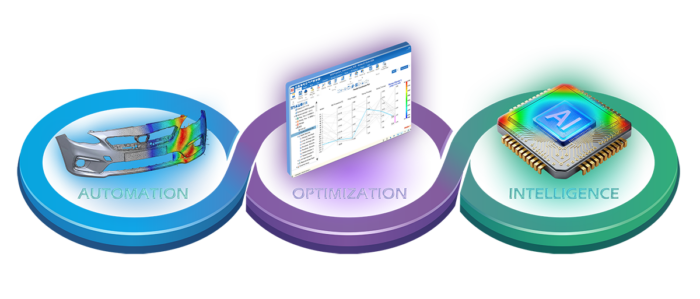
App Center: Fast Access to Practical Simulation Automation
The Moldex3D App Center brings together ready-to-use tools for simulation assistance and workflow automation. With a single login, users can access and download apps at no cost without switching platforms, making it easier to streamline setup, analysis, and reporting workflows.
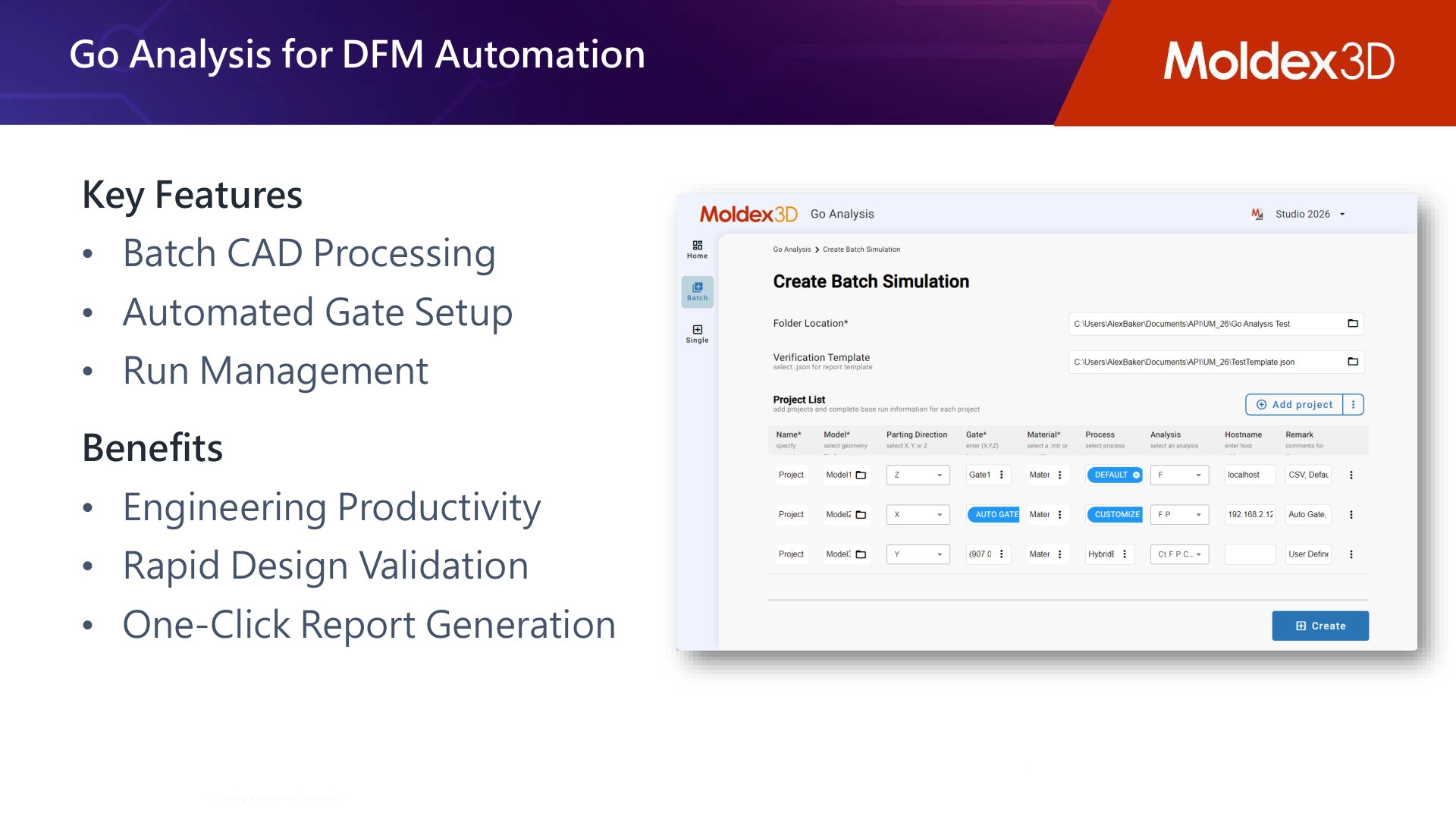
Go Analysis
Automate batch simulation for faster DFM validation.
Go Analysis is a free standalone application available through the App Center for rapid batch simulation. It calls Studio through API in the background, automates project creation from multiple CAD uploads, and supports faster early-stage validation through a practical, easy-to-use workflow.
- Batch CAD processing for multiple uploaded models.
- Automated gate setup and run management.
- One-click report generation to accelerate DFM review.
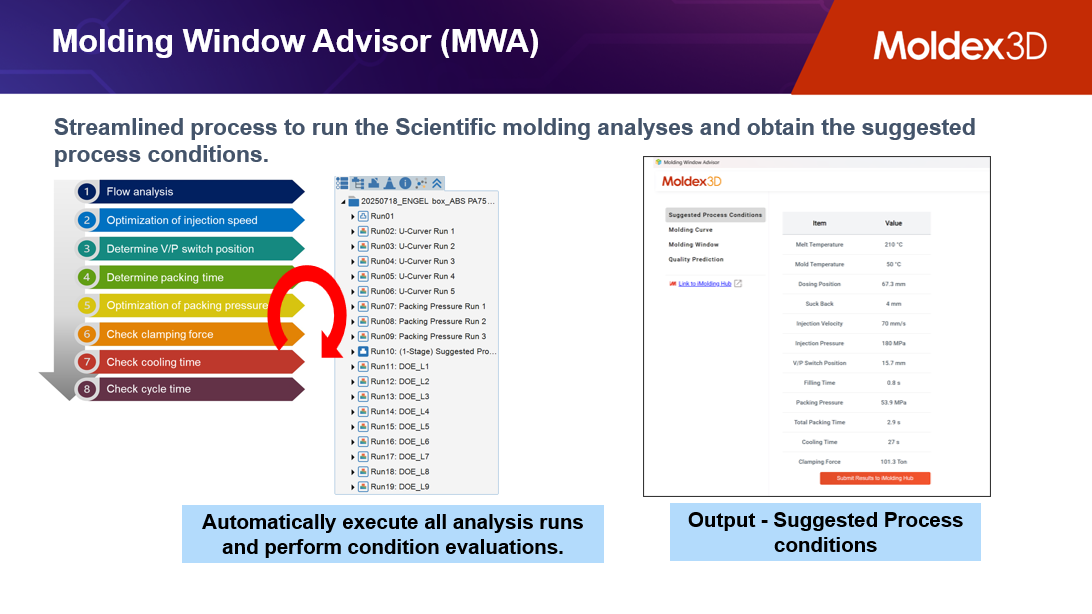
Molding Window Advisor
Turn simulation learning into practical process recommendations.
Molding Window Advisor is also available as an app in the App Center. It helps users obtain suggested process conditions through a guided scientific molding workflow and combines scientific molding methods with DOE-driven learning to support smarter process recommendations and a more robust molding window.
- Guide process-condition setup with structured scientific molding methods.
- Leverage DOE-driven learning for faster and more robust recommendations.
- Support better process decisions with a clearer molding window.
iSLM: Intelligent Solution Lifecycle Management
iSLM stores and organizes engineering knowledge so teams can reuse proven design and process experience. It supports data integration, data conversion, and data utilization across product and mold design information, DFM records, task history, mold tryout data, and CAE comparisons.
Gate Design Discovery
Reuse historical gate knowledge with model similarity.
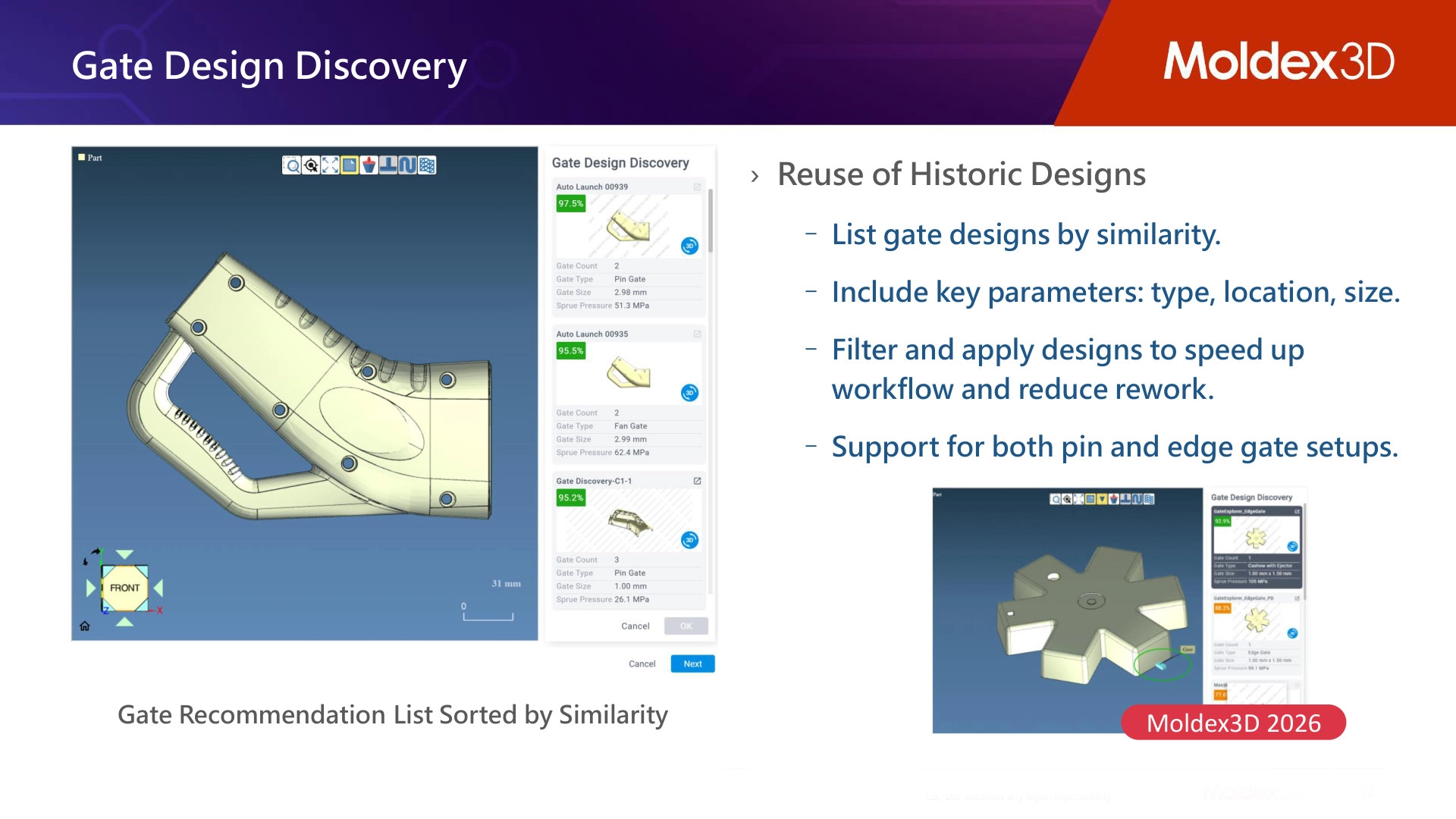
Gate Design Discovery matches uploaded models with historical project geometries and suggests gate locations based on similar designs. Engineers can review recommended gate information in a 3D viewer and reuse prior gate designs by similarity, including gate type, location, and size.
- Benchmark similar projects to suggest gate locations and machine settings.
- Filter and apply historic gate designs to reduce rework.
- Support both pin and edge gate setups for greater gating flexibility.
Mold Design Discovery
Turn process history into reliable mold and process direction.
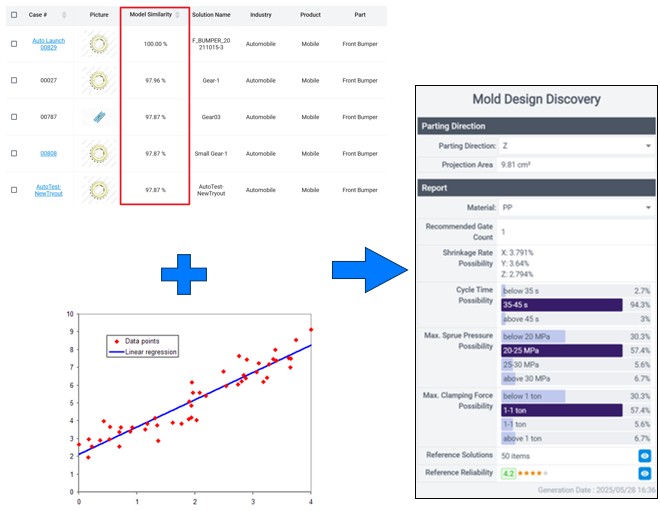
Mold Design Discovery uses historical data to recommend reliable design and process directions. By preserving successful project experience inside iSLM, teams can compare prior work, visualize useful knowledge, and apply proven practices to new molding development challenges.
- Store product and mold design data, DFM notes, tryout information, and CAE results.
- Visualize project history as readable engineering knowledge.
- Use historical process conditions to support future mold development.
Natural Language Bot
Ask questions and capture knowledge through conversation.
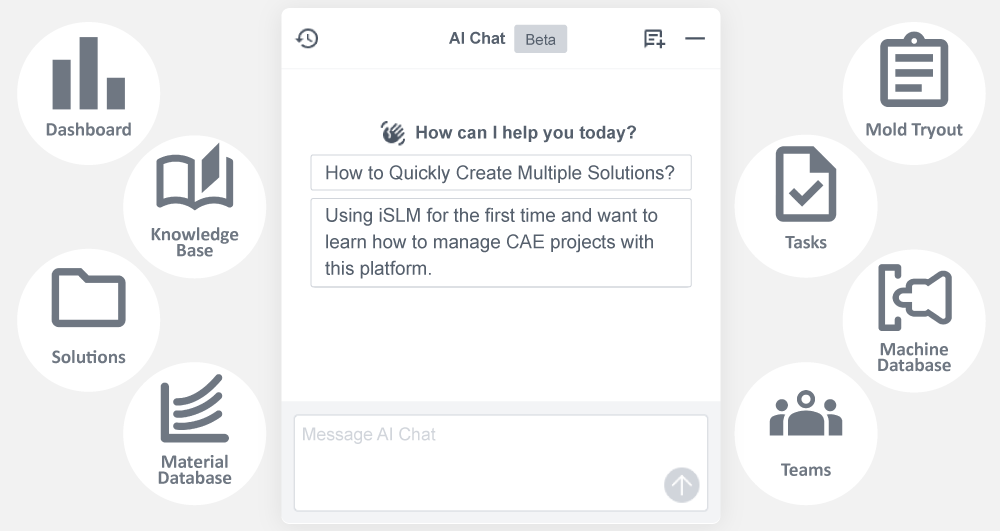
The natural language bot experience allows engineers to query data, receive conclusions, and obtain molding recommendations through conversational interaction. Each interaction can feed back into the database, improving response quality and building long-term knowledge assets.
API and Macros: Flexible Automation for Different Teams
Moldex3D 2026 supports both programmable automation and lightweight task recording, giving teams options based on workflow complexity, coding resources, and enterprise integration needs.
Custom Automation
Build unattended workflows when integration matters.
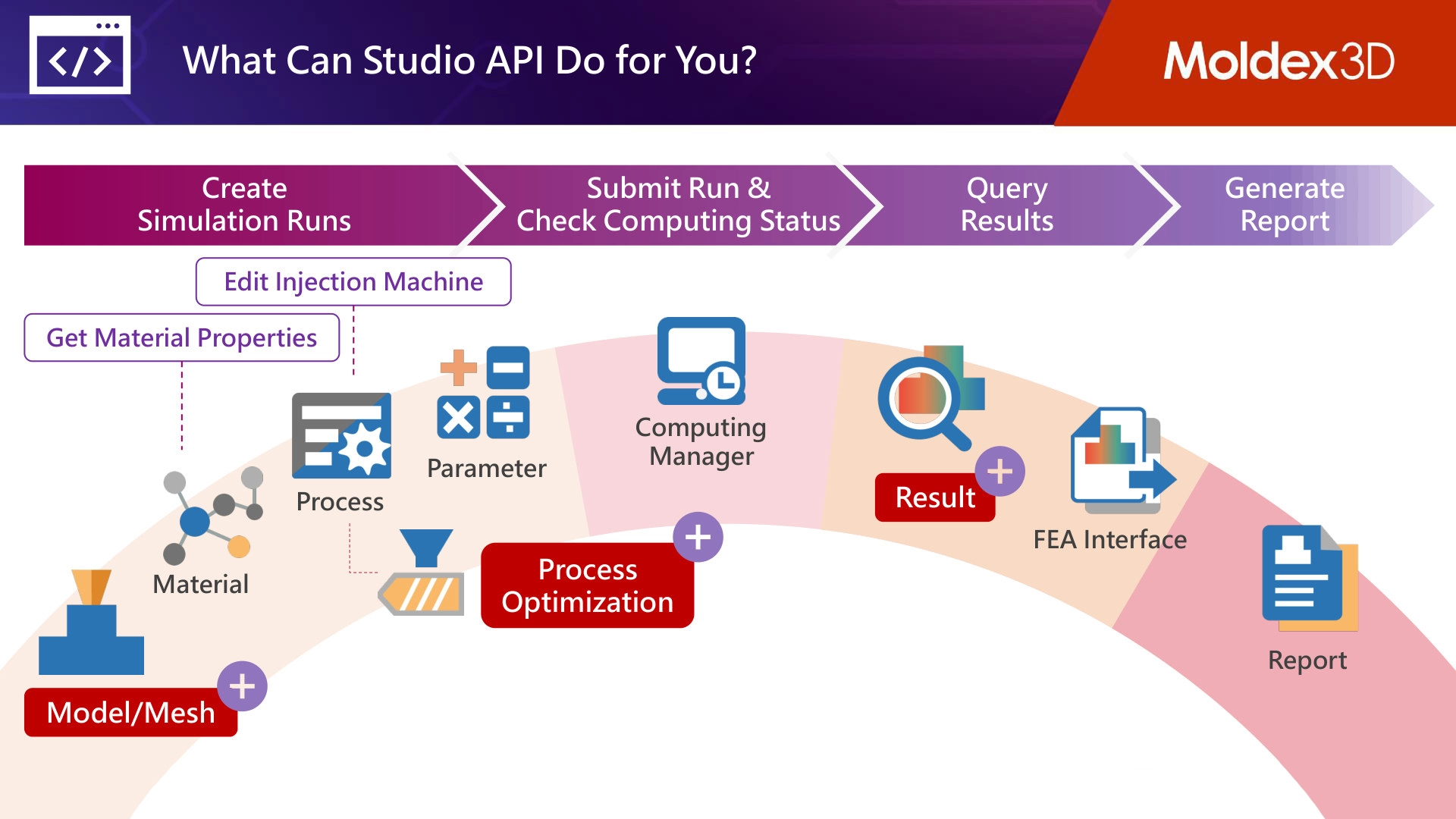
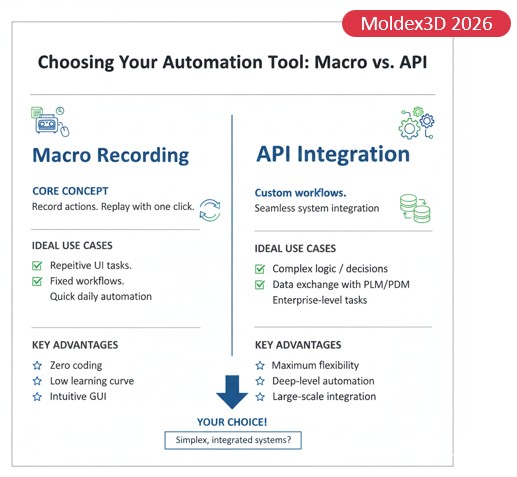
Studio API is best suited for customized end-to-end automation, complex logic, and deep integration with internal platforms. It can connect simulation data with in-house systems for large-scale workflow automation, and example scripts included in the installation package provide a practical starting point for implementation.
- Create simulation runs and manage project setup programmatically.
- Submit runs, check computing status, and query results.
- Generate reports and connect results to enterprise workflows.
- Use included example scripts as a starting point for common automation use cases.
Macro Recording
Record repetitive actions and replay them with one click.
Macro Recording gives users a simple way to automate repeated Studio operations without writing a full external script. Engineers can record common UI tasks once and reuse them as repeatable actions, making routine setup and daily automation faster, more consistent, and easier to standardize.
- Use zero-code automation for repetitive UI tasks.
- Capture fixed workflows and replay them consistently.
- Choose macros for quick daily automation and API for complex or integrated workflows.
DOEPlus: Faster and Smarter DOE Execution
DOEPlus is positioned as its own acceleration layer for DOE work. It helps teams run DOE studies more efficiently by enabling concurrent processing, providing dedicated compute lines for DOE tasks, and allowing computational resources to scale when workloads demand it.
Dedicated DOE Computing
Run more DOE work in less time.
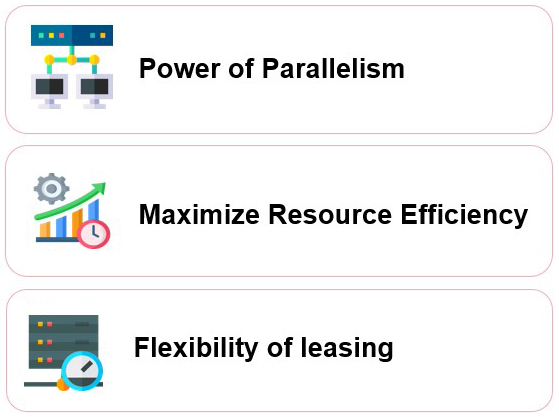
DOEPlus transforms sequential DOE workflows into concurrent processing. By creating dedicated compute lines for DOE tasks, it helps preserve existing PP capacity and licenses for other critical projects while DOE studies continue in parallel.
- Run multiple DOE studies simultaneously instead of one after another.
- Scale computational power for peak workloads or high-stakes projects.
- Improve DOE adoption by reducing the time barrier of sequential runs.
Moldibot 2026: Enhanced AI Support for Engineering Decisions
Moldibot has been improved compared with last year, evolving from general AI technical support into a stronger intelligent advisor. Moldibot 2026 integrates background databases with Moldiverse University and Forum knowledge to deliver more accurate, source-verified responses.
Improved Intelligence
Deeper reasoning, better answers, and guided follow-up.
The enhanced Moldibot supports software-related questions, general injection molding questions, and API script generation. Its new Deep Thinking capability improves reasoning for complex engineering challenges, while follow-up suggestions help users continue troubleshooting or exploring next steps.
- Source-supported answers grounded in Moldex3D and Moldiverse knowledge.
- Improved reasoning for more complex simulation and molding questions.
- Follow-up suggestions that make Moldibot a more useful advisor during engineering work.