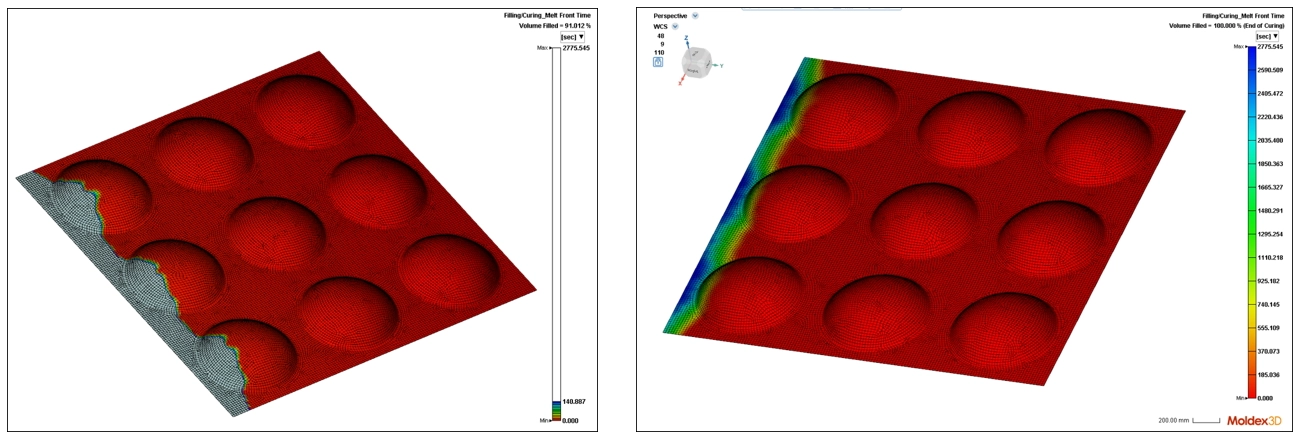
Resin Transfer Molding (RTM) is an advanced composite molding process commonly used to produce high-performance composite parts by impregnating a woven fiber mat with a resin. RTM enables the production of high-quality components with complex geometries, precise dimensions, and consistent mechanical properties.
Moldex3D RTM allows users to generate solid mesh in Studio based on the actual fiber layup or import files from external software, such as Rhino and Hypermesh. Moldex3D now also supports 3D HDF5 (including solid mesh, ply, and fiber orientation data) exported from ANSYS ACP for RTM pre-processing. Local permeability modeling from Multiscale.sim can also be imported into Studio to enable a more accurate RTM flow analysis. This helps users gain a more comprehensive understanding of the entire process and potential defects.
Model Preparation
Step 1: Export 3D HDF5 files from ANSYS ACP and Multiscale.sim
First, complete the drape simulation in ACP and generate the solid model. Next, update the model in Workbench. Finally, run the perform_map_permeability.bat script to map the permeability onto the finite element model and export it as an HDF5 file.
The file will appear in “user_files” and is stored in a 3D structured data format, which can be used for post-processing or further analysis.
Project Preparation
Step 2: Import mesh and other related data in ANSYS ACP into Studio
Open Studio and select the Resin Transfer Molding (RTM) module. Then, click Import Geometry and select ANSYS ACP file (*.h5) as the file type. Choose the corresponding file afterward. Once completed, the corresponding mesh will be displayed.
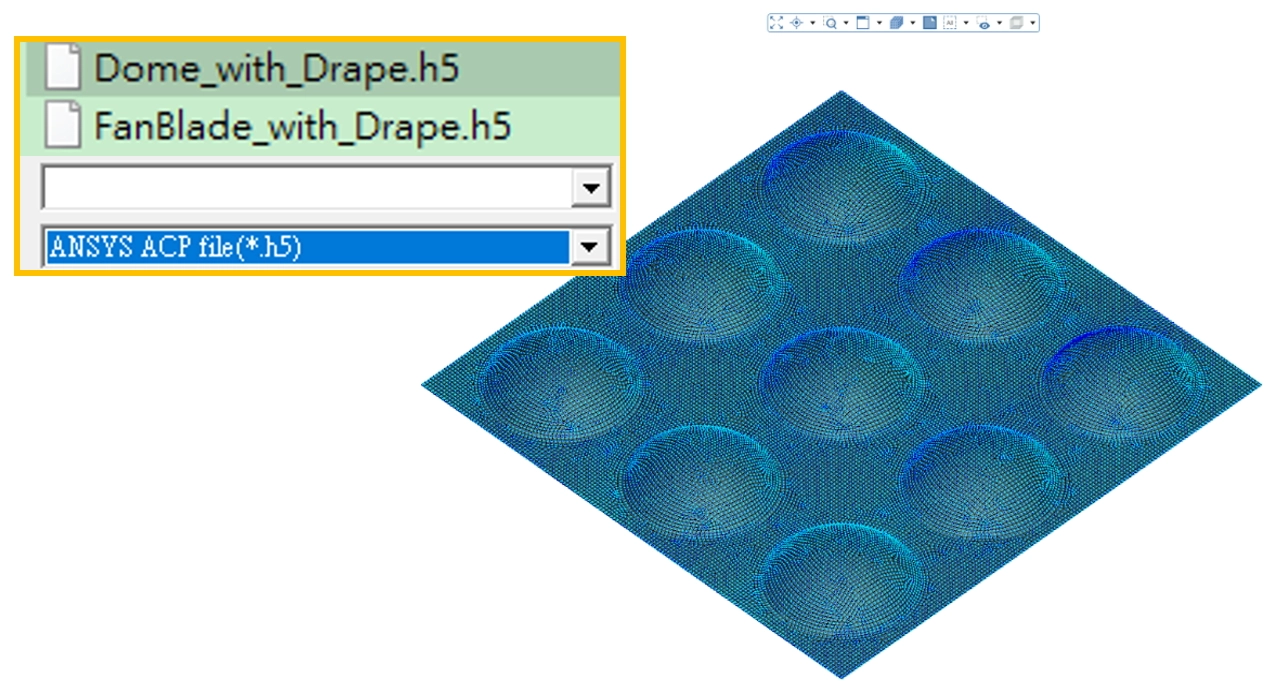
The system will automatically import fiber orientation data.
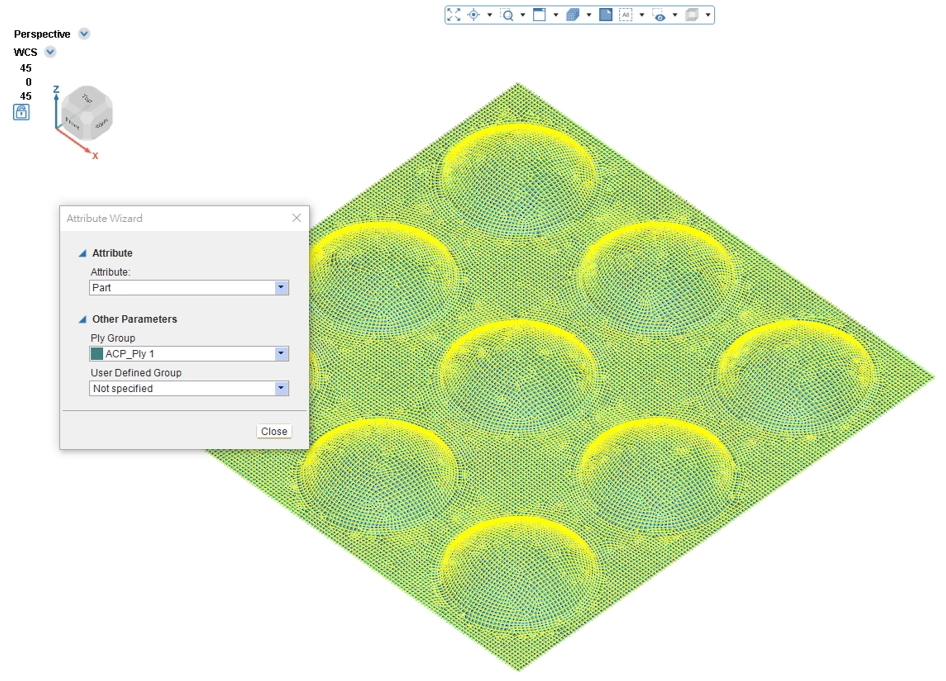
Pre-processing Setup
Step 3: Set B.C. (Boundary Conditions)
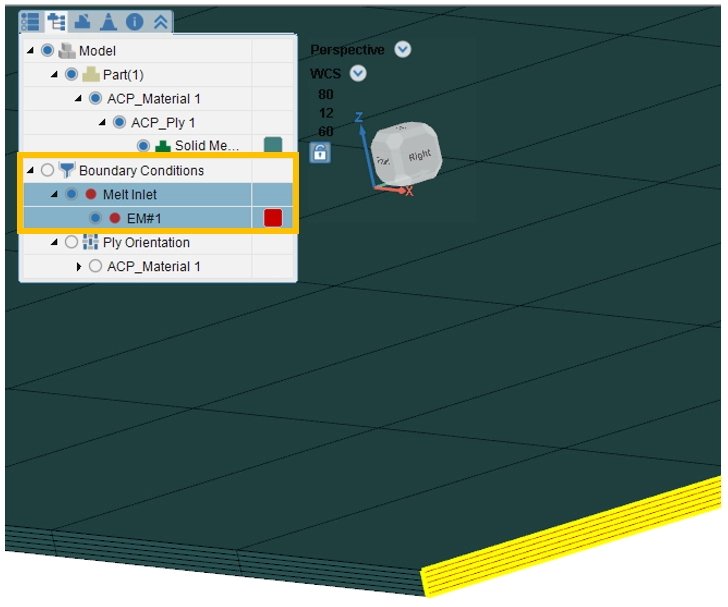
Select B.C. and click Melt Inlet. Next, select appropriate regions to set melt inlet face or other boundary conditions.
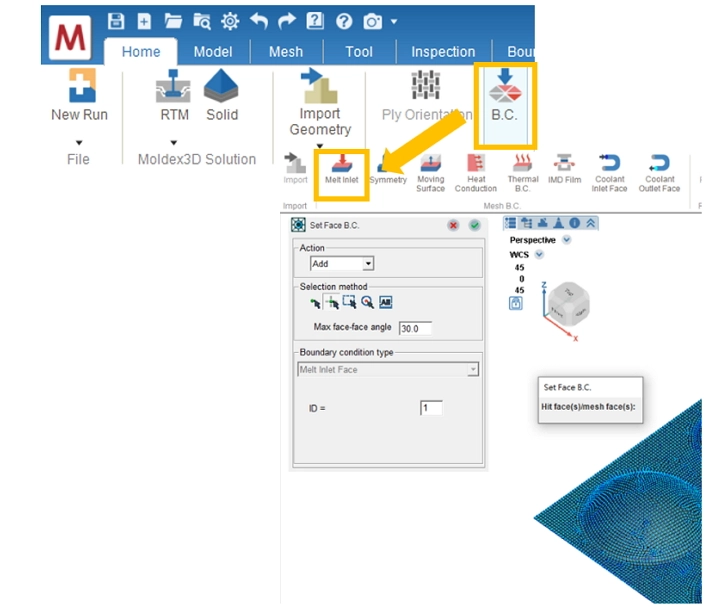
Step 4: Final Check
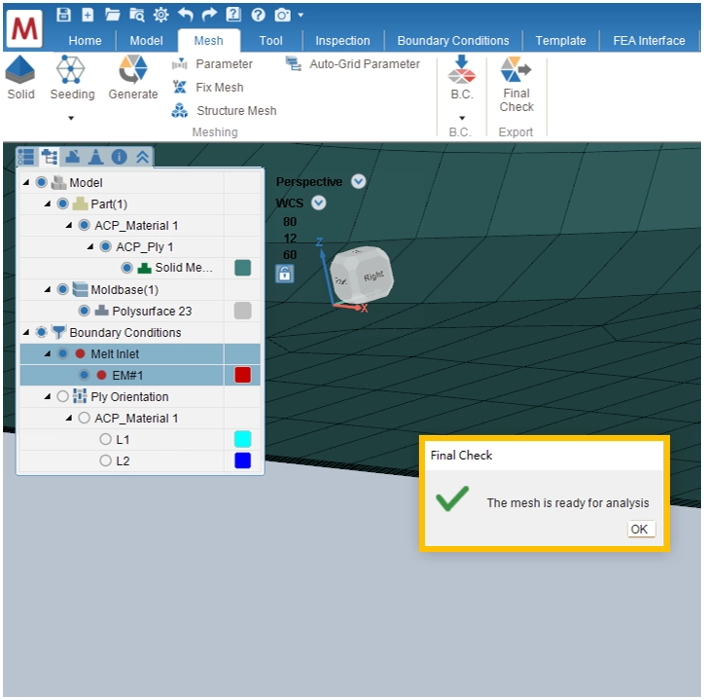
Under the Mesh tab, use Final Check to complete importing mesh and other data from ANSYS ACP for RTM pre-processing.
Step 5: Run Analysis
Further configure materials, process conditions, and parameters, then run the analysis to obtain simulation results.